Phase Details and Bulk Actions in the Work Plan
A project’s Work Plan can now do more than add, rename and delete phases.
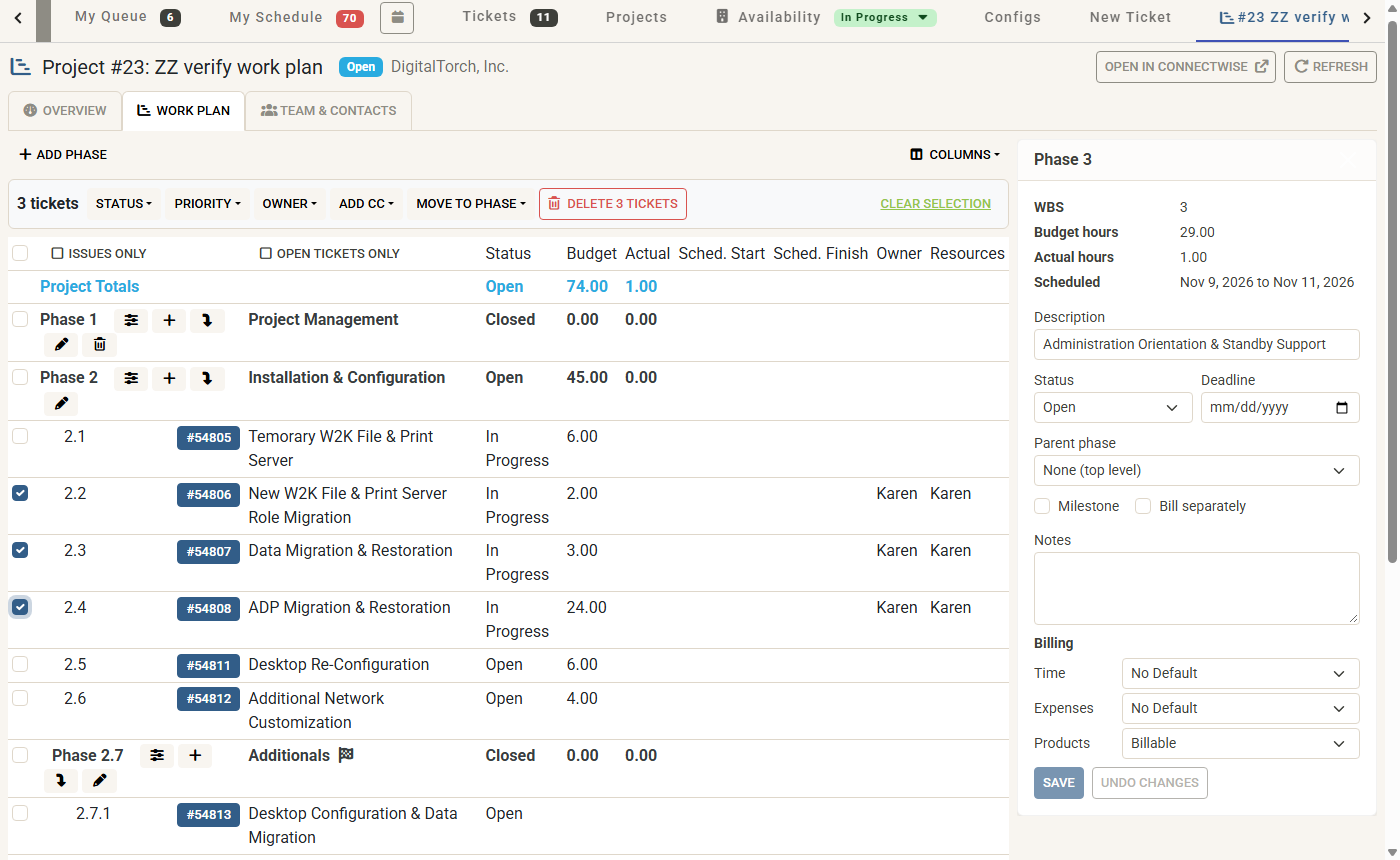
- Phase details. Open a phase to change its status, deadline, parent phase, milestone and bill-separately flags, and notes. If your role can change project finance, you can also change whether the phase bills time, expenses and products.
- New columns. Scheduled start and finish, the ticket owner and the resources are shown beside each ticket. Hide the ones you don’t need, and MTX remembers your choice.
- Bulk actions. Tick tickets or phases to change them together. For tickets, you can set the status, priority, type or owner, add a Cc address, move them to another phase, or delete them. For phases, you can set the status or delete empty ones. MTX shows how each item went, with ConnectWise’s reason for anything it refused. You can cancel a run part-way.
Deleting asks you to confirm with D, E, L. ConnectWise won’t delete a project ticket that has time entries.