
Show it on an office TV
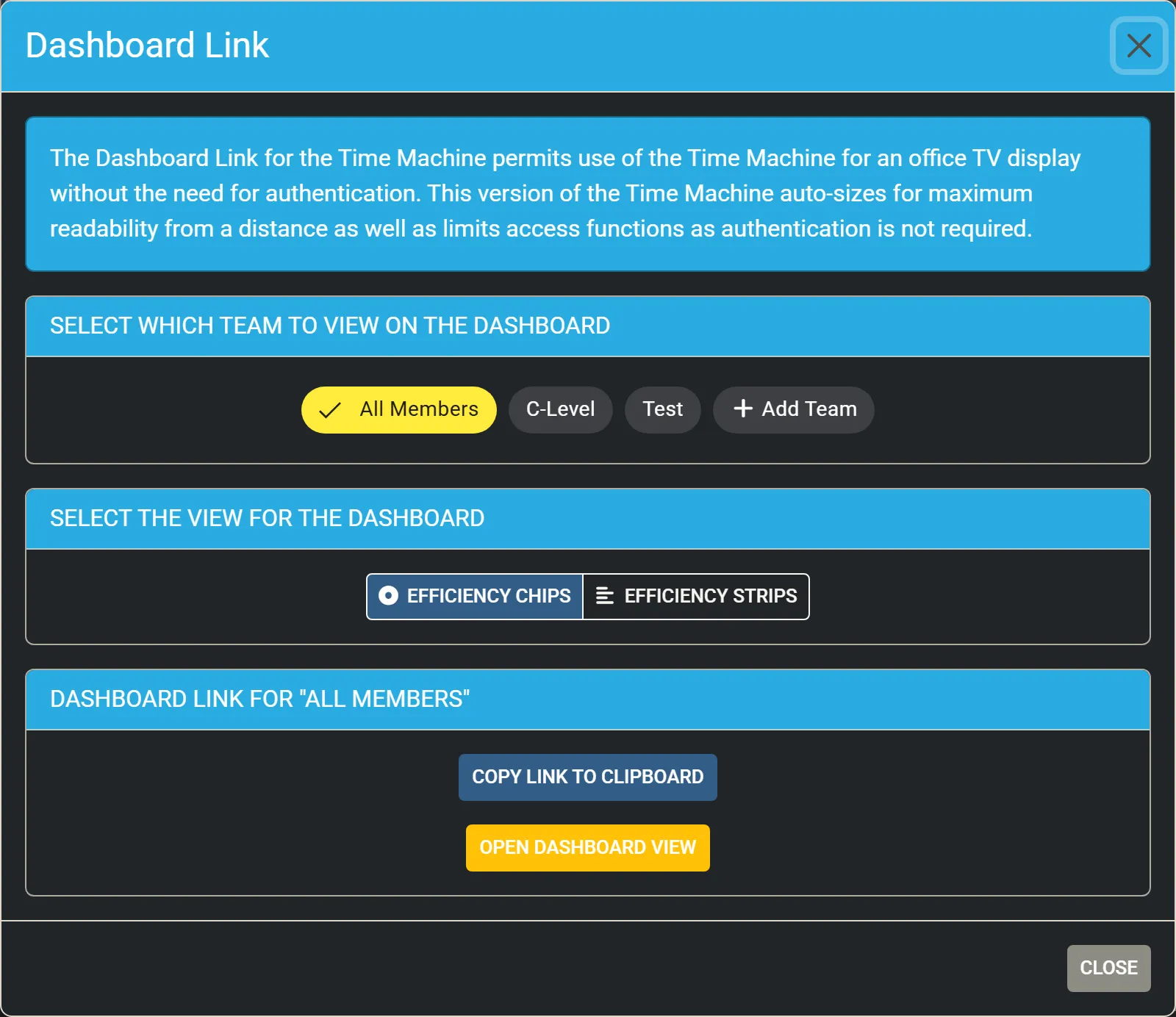
The Dashboard Link opens the Time Machine on an office TV without signing in. The dashboard sizes its text for reading from a distance and offers no controls that need a signed-in member. You need the Manager or Admin access level to create one.
- Open MENU and click Dashboard Link.
- Under Select which team to view on the dashboard, choose All Members or a team.
- Under Select the view for the dashboard, choose Efficiency Chips or Efficiency Strips.
- Click Copy Link to Clipboard, or Open Dashboard View to open it now.
- Open the link in the TV’s browser.
What the dashboard shows
Section titled “What the dashboard shows”- The live board and the chips or strips, for the team you chose, or your favourites when you chose none.
- No timeline and no date: a dashboard is always live.
- No status column or row menus; clicking a chip, a strip or a ticket opens nothing.
- Its menu offers only the documentation and Clear Cache & Reload.
Keep the link safe
Section titled “Keep the link safe”Anyone who has the link can see the dashboard without signing in. Share it only with the screens that need it, as you would a password.