
Bill a Microsoft 365 license
The client buys three Microsoft 365 subscriptions through you: Exchange Online (Plan 1), Azure Active Directory Premium P1 and Microsoft 365 Business Basic. You bill Exchange Online on its own agreement addition, Exchange Online 1, on the client’s Managed Services agreement. The other two are billed another way. You manage the client’s contacts by hand, so ConnectActive should only keep the license count right.
-
Add the company with a Microsoft 365 source. On the Companies tab, Add Company, choose the ConnectWise company, and select Microsoft 365 / Entra ID. On its Settings, authorize the tenant (Connect Microsoft 365).
-
Leave contacts alone. In Sync Settings, tick Do Not Sync Contacts, Just Update License Agreements. The filtering, site and contact mapping tabs disappear: ConnectActive will not touch the client’s contacts.
-
Enable license sync. Open Agreements, select Microsoft 365 Licenses, and tick Enable Microsoft 365 License Sync. ConnectActive lists the tenant’s three licenses.
-
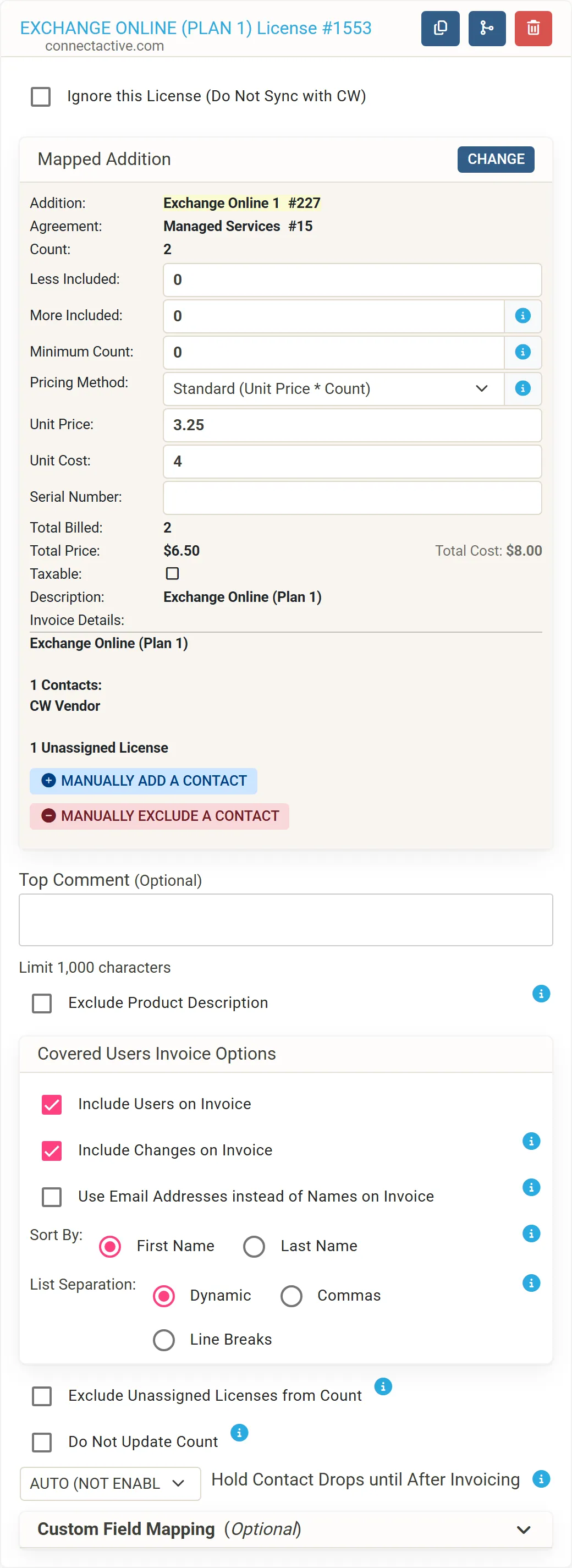
Map Exchange Online. On EXCHANGE ONLINE (PLAN 1), choose the Exchange Online 1 addition of Managed Services in Select Agreement Addition. The mapping shows the addition’s Unit Price of 3.25 and its Count.
-
Ignore the others. On AZURE ACTIVE DIRECTORY PREMIUM P1 and MICROSOFT 365 BUSINESS BASIC, tick Ignore this License (Do Not Sync with CW).
-
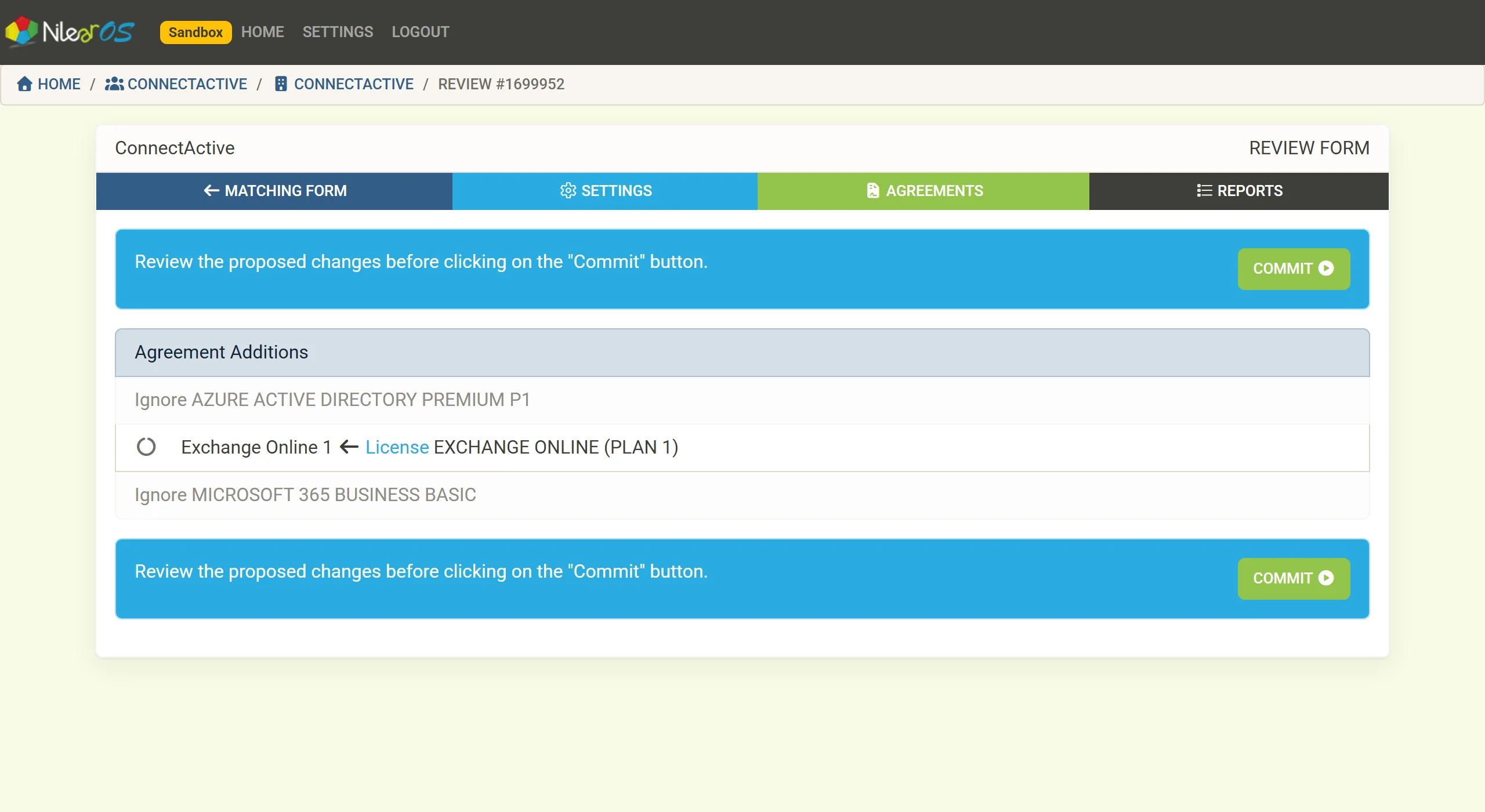
Sync and commit. Click Perform Sync. With no contacts to sync, ConnectActive goes straight to the Review Form: the two ignored licenses, and Exchange Online 1 updated from the EXCHANGE ONLINE (PLAN 1) license. Click COMMIT.
The result
Section titled “The result”The tenant has two Exchange Online (Plan 1) licenses: one assigned to a user, one bought but not assigned. ConnectActive counts both, because Microsoft bills both, so the addition’s Count is 2 and its total price $6.50 (2 × 3.25). The invoice details read Exchange Online (Plan 1), then 1 Contacts with the user’s name, then 1 Unassigned License.
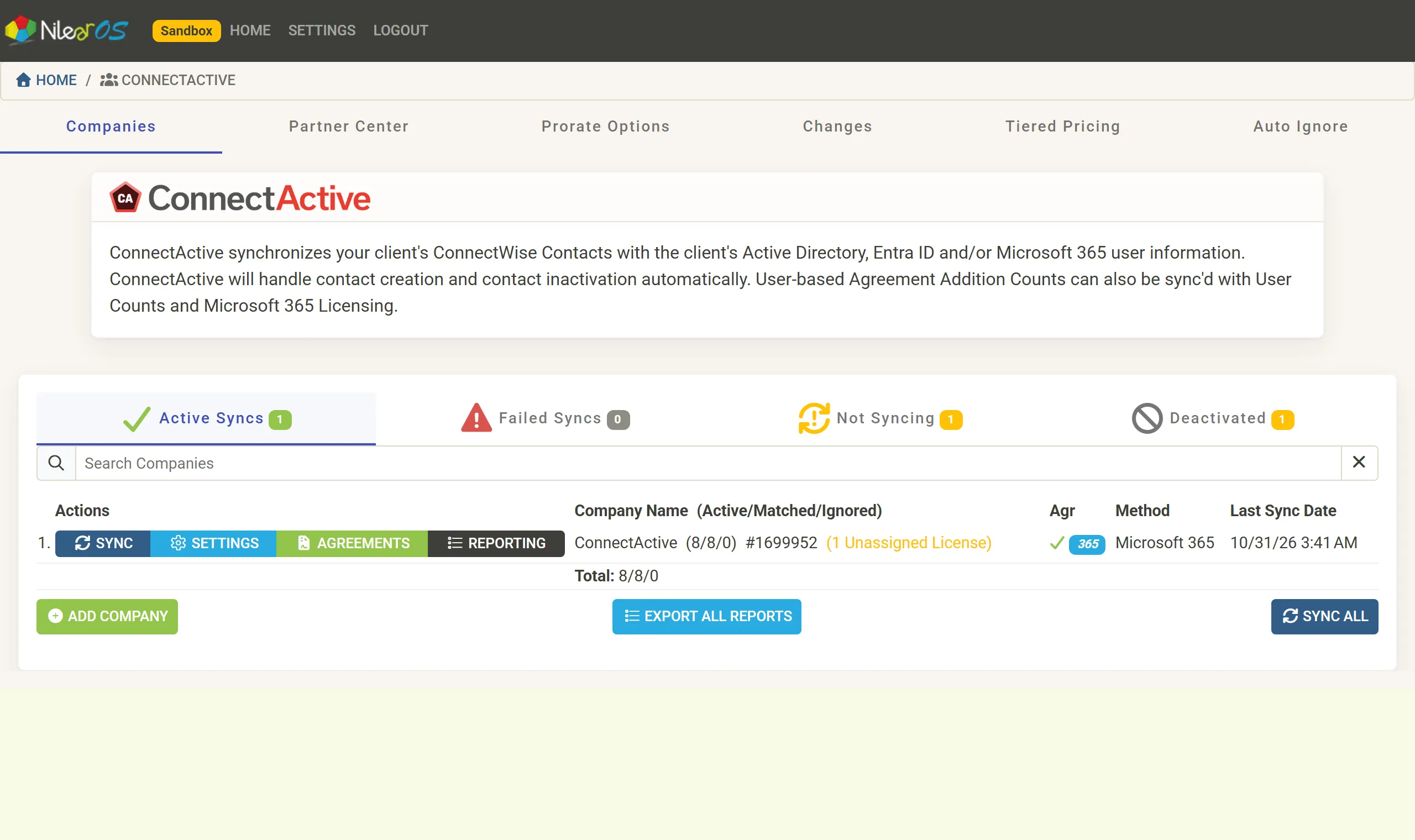
On the Companies tab the company now sits under Active Syncs, with the 365 mark and (1 Unassigned License), a reminder to ask the client whether they still need it.
From now on, when the client assigns, removes or buys an Exchange Online license, ConnectActive updates the addition, usually within minutes.
Variations
Section titled “Variations”- To bill only assigned licenses, tick Exclude Unassigned Licenses from Count on the mapping.
- To bill Exchange Online and Business Basic users on one line, merge the licenses (Combine groups or licenses).
- To charge for changes mid-month, turn on prorating.