
Plan a day of visits
The situation
Section titled “The situation”A dispatcher at an MSP based in Harleysville, PA (postal code 19438) wants to send a technician out for a day, to the clients that need a visit, and to fit in a courtesy call on nearby clients.
1. Map the clients around the office
Section titled “1. Map the clients around the office”The dispatcher opens Client Mapper, clicks New map and types “all clients within 20 miles of 19438”, then Find these clients. Client Mapper reads it back as clients with a site within 20 miles of 19438, and counts them. The dispatcher names the map and saves it, shared, so the rest of the team can use it.
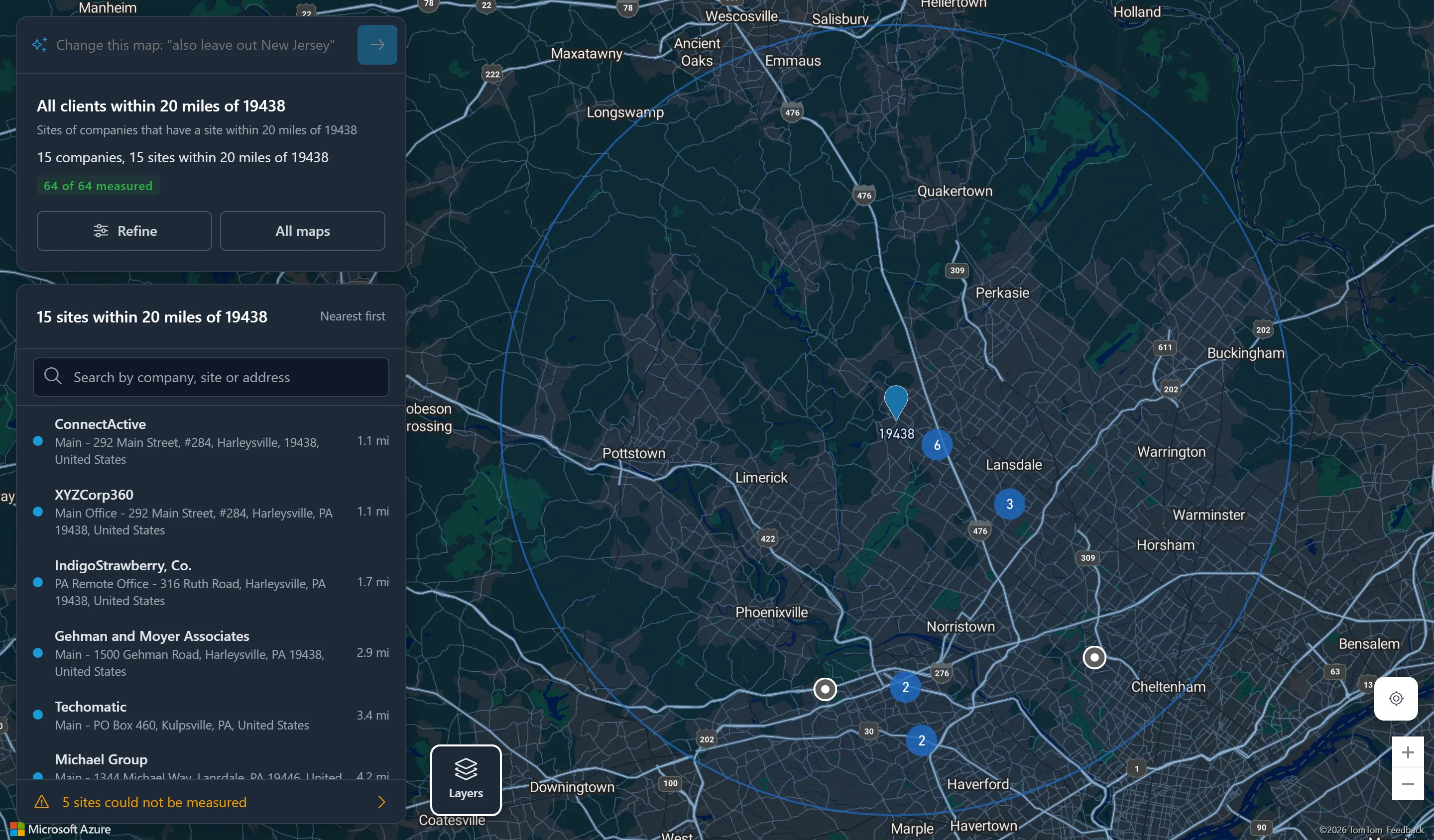
Opened, the map draws the 20-mile circle and lists 15 sites nearest first, from 1.1 miles out. The first time, sites were located as the map opened; the summary now reads 64 of 64 measured. Five sites could not be measured: their addresses could not be found.
2. Check what needs a visit
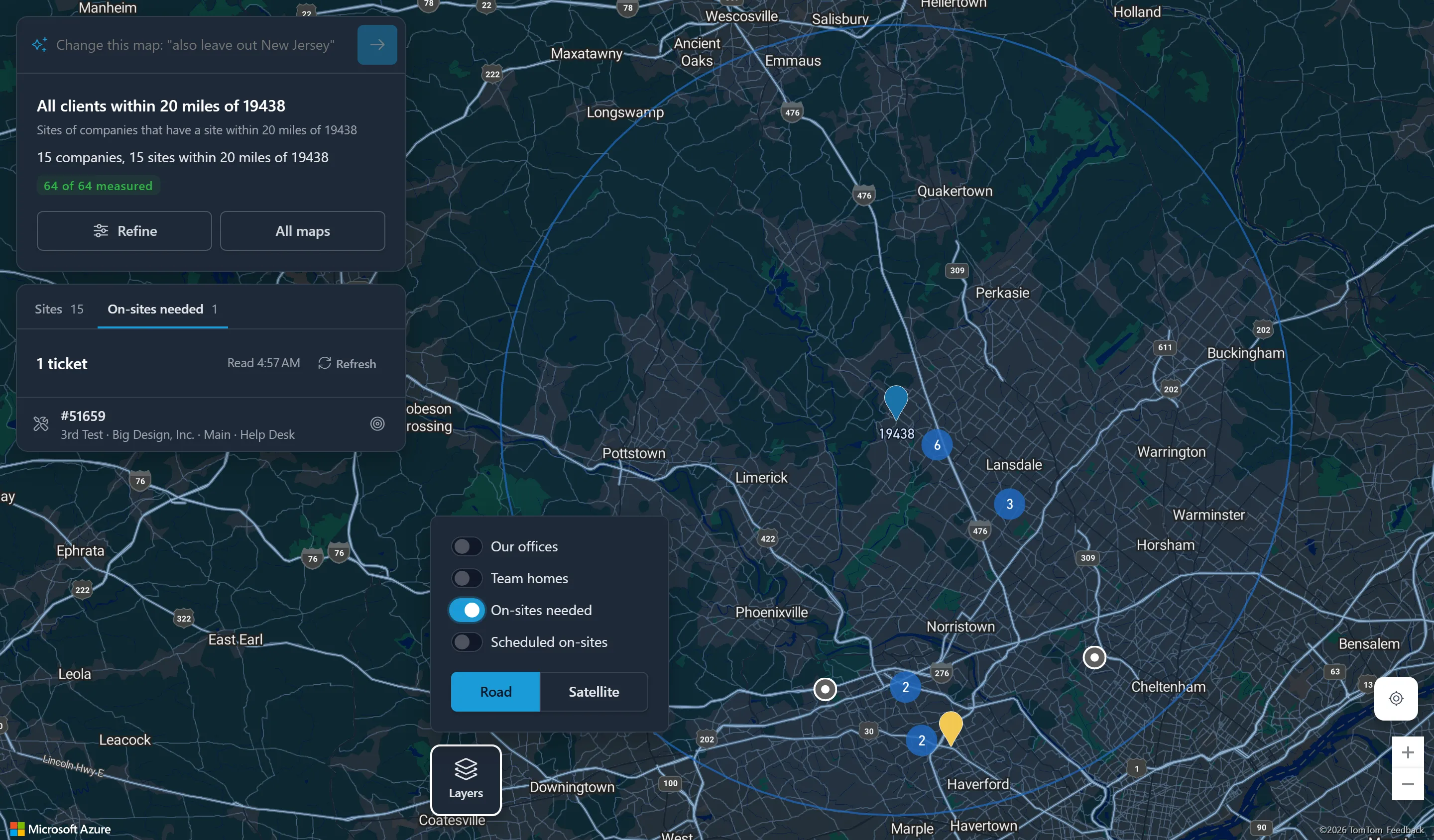
Section titled “2. Check what needs a visit”The dispatcher clicks Layers and switches on On-sites needed. Its tab lists one ticket, #51659 for Big Design, Inc., in an on-site-needed status, and its marker appears on the map.
3. Find the clients near the visit
Section titled “3. Find the clients near the visit”On the ticket’s row, the dispatcher clicks Find clients near. The map shows this map’s clients within 10 miles of Big Design, Inc.’s Main site, nearest first. Switching to All clients and 15 miles widens it. The dispatcher picks two clients for a courtesy call on the same trip, then clicks Back to the map.
4. Narrow the map for next time
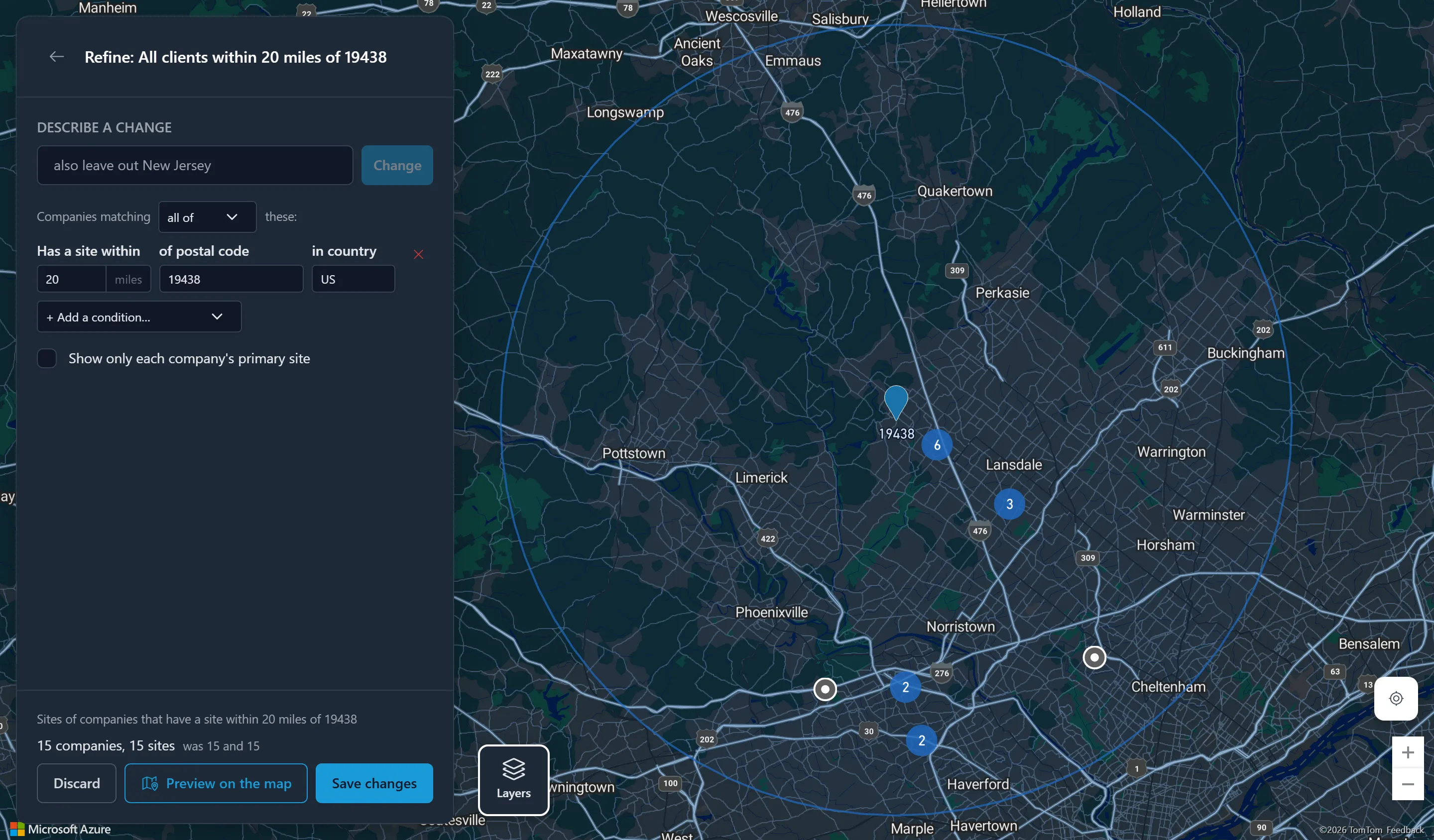
Section titled “4. Narrow the map for next time”The dispatcher wants a tighter map for quick trips. They click Refine, change the distance to 10 miles, and compare the new counts with the saved ones. They preview it, then click Discard to keep the shared map as it was, and describe the 10-mile map as a new map of their own instead.
5. Check the week
Section titled “5. Check the week”Later in the week, the dispatcher switches on Scheduled on-sites with Next 7 days, to see where technicians are already booked, and hides the technicians who are not part of the plan. Each visit’s 5-mile circle shows which clients a technician could see on the same trip.