
Review yesterday
The situation
Section titled “The situation”On Saturday morning a service manager wants to know how Friday went: who worked tickets, who kept ConnectWise up to date, and whether anyone was stuck.
1. Go back to Friday
Section titled “1. Go back to Friday”They open the Time Machine and click « once. The chips show Friday, and the header says Friday. They click 12:00p on the timeline to see the board at noon.
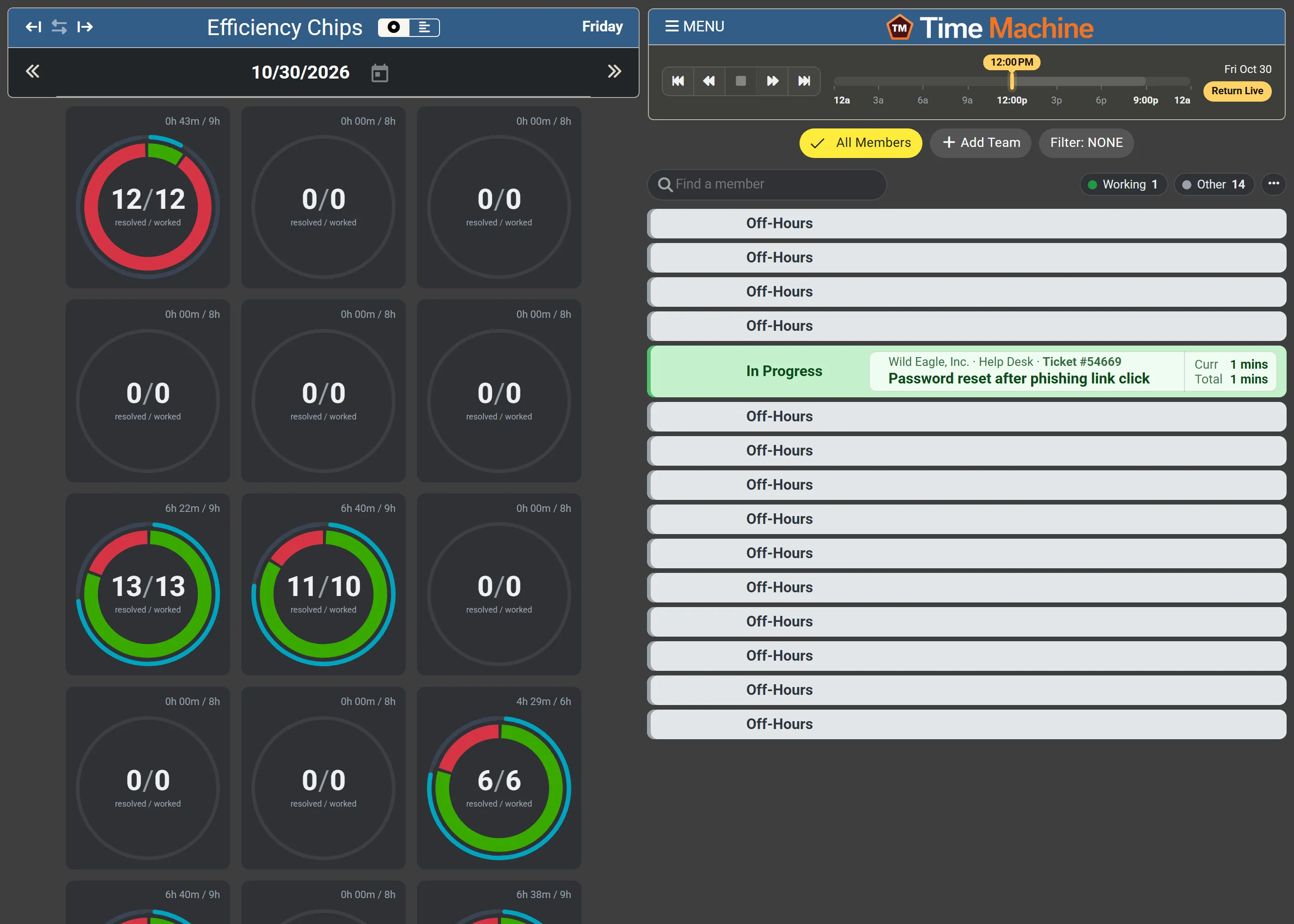
Six members have activity. At noon one of them was In Progress on ticket #54669, Password reset after phishing link click; the summary above the board counts Working 1 and Other 14.
2. Compare the chips
Section titled “2. Compare the chips”- Two chips are mostly green, with a full cyan outer ring: 13/13 and 11/10 resolved / worked, with 6h 22m and 6h 40m recorded of a nine-hour day. These technicians worked tickets most of the day and recorded their time as they went.
- One chip is mostly red: 12/12, but only 0h 43m recorded of nine hours. Many tickets were resolved, but very little time was In Progress or recorded. The manager makes a note to ask why.
3. See when, with the strips
Section titled “3. See when, with the strips”They click the strips icon in the chips header.
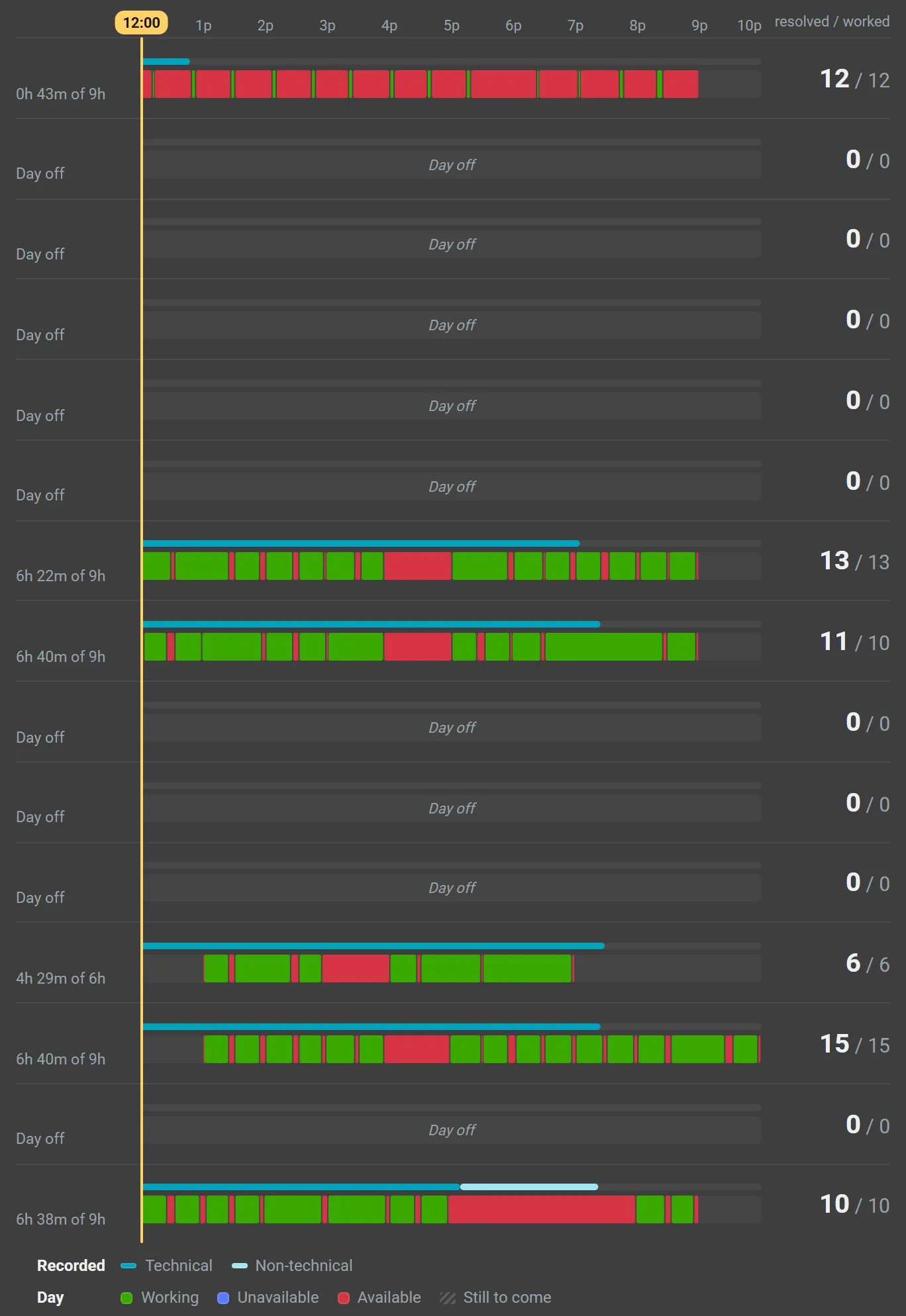
The day lanes show the same story in time: steady runs of green broken by short red gaps for most, one long red stretch mid-afternoon for one technician, and one row almost entirely red between short green slivers.
4. Open one technician’s day
Section titled “4. Open one technician’s day”They click the 6h 40m / 9h on one chip to open that member’s details on the Chip report.
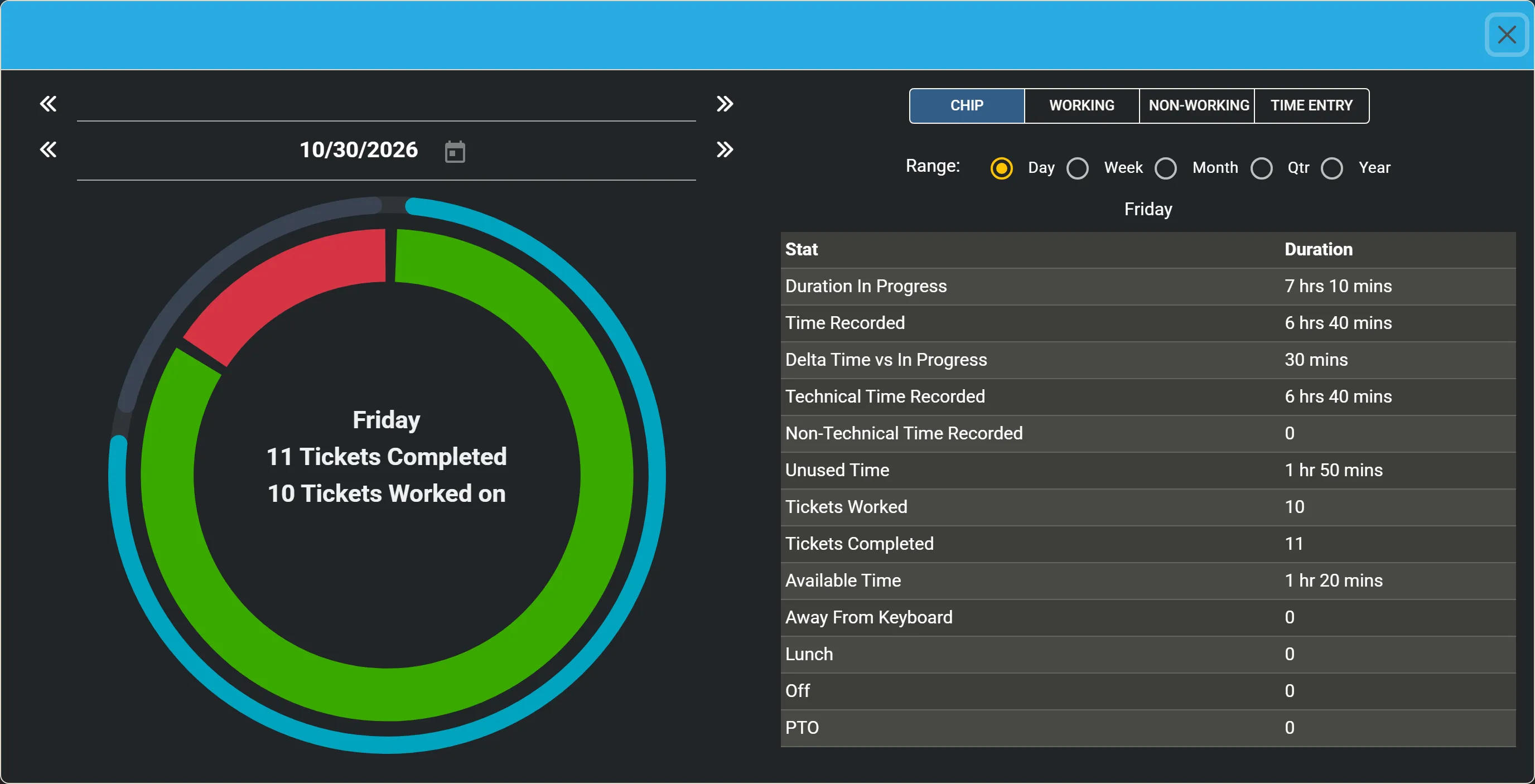
Duration In Progress is 7 hrs 10 mins and Time Recorded 6 hrs 40 mins, a Delta Time vs In Progress of 30 mins: a well-kept day. Available Time is 1 hr 20 mins with no Lunch recorded, so the manager reminds the team to mark lunch in MTX, so it shows as unavailable rather than available.
5. Back to live
Section titled “5. Back to live”They click Return Live, and the Time Machine shows today again.