
Map a group to an addition
A group mapping sets an agreement addition’s count to the number of members of one group, and can list them on the invoice. Use it when the client pays per user of a service that follows a group, such as Managed Users or a VPN group. The group can be any group the company’s sources hold, or one of ConnectActive’s dynamic groups, such as a department or an email domain.
Map the group
Section titled “Map the group”- Open the company’s Agreements page.
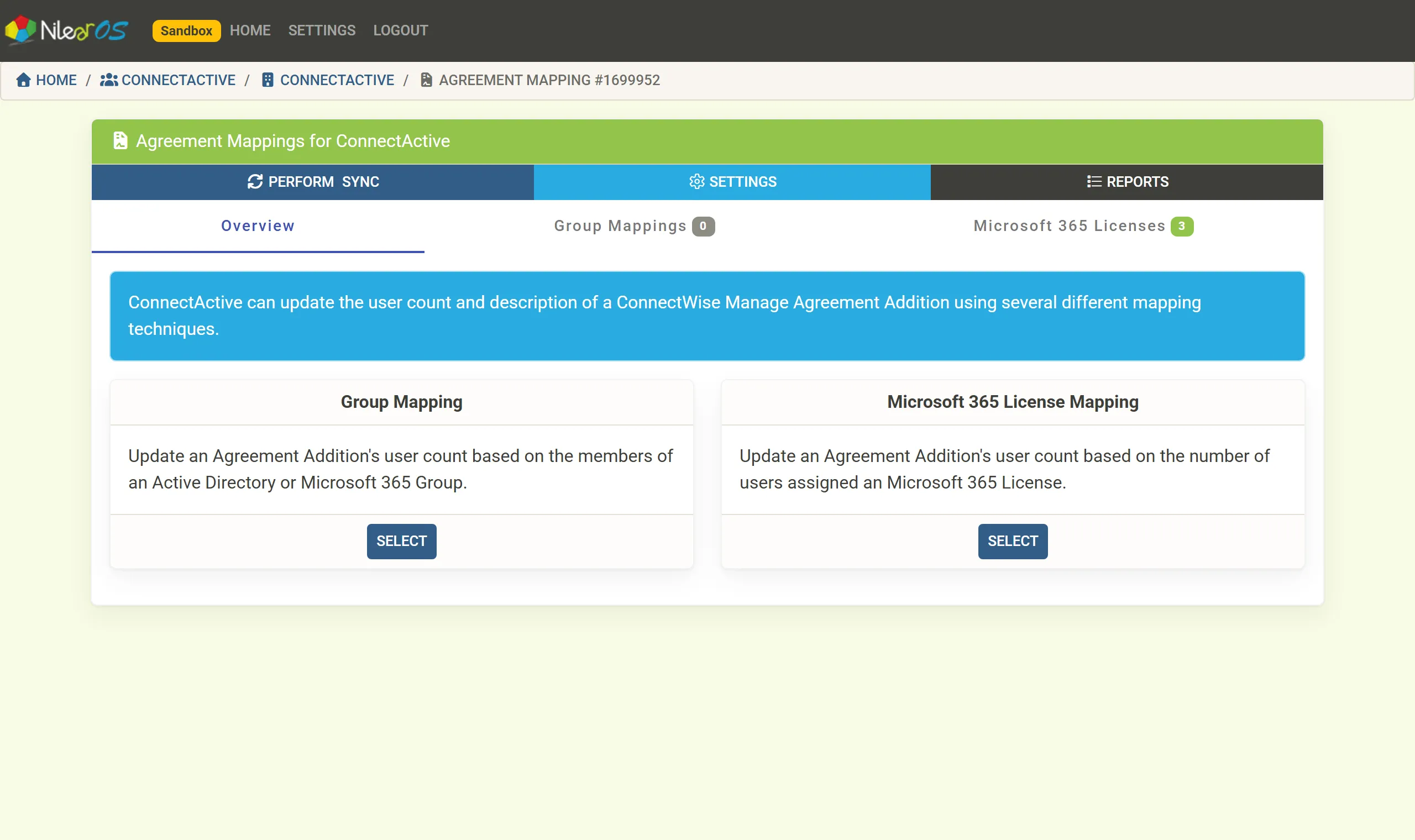
- On Overview, click SELECT under Group Mapping (or open the Group Mappings tab).
- Under Map Group to Agreement Addition, choose the group and click Add Group Mapping.
- Choose the addition in Select Agreement Addition, or create it with Create a New Agreement Addition.
- Set the options: invoice options, Minimum Count, Limit to Filtered Users and others (Mapping options).
- Click Perform Sync, check the count under Agreement Additions on the Review Form, and click COMMIT.
The addition is updated by every sync that finds a change in the group.
Variations
Section titled “Variations”- The same group on several additions: the copy button on the mapping’s header (Map … to an additional Agreement Addition) duplicates it, with its settings, for another addition.
- Several groups on one addition, or a group minus another: see Combine groups or licenses.
- Only the group’s members in some OUs: see Split a mapping by OU.
- Only the members this company syncs, in a shared directory: tick Limit to Filtered Users.
If the group’s source is later removed from the company, the mapping is kept but detached until you choose a new group (Add a company).