
Customize the Real-time points
The Real-time Custom modules score with your own points for each event, which can differ per board type. You need the Manager or Admin access level.
- Open the Custom Points page: on a ScoreCard, click Customize on any Real-time Custom module. The page is also at app.nilear.com/smt/points-matrix.
- In Real-Time Custom Points, change the points of any event in the Service, Monitoring, Project, Sales or Other column. Use a negative number for a penalty. Point at a box to see its standard value.
- Add a Real-time Custom module to your ScoreCard if it has none: only those modules use your points. See Set up a ScoreCard.
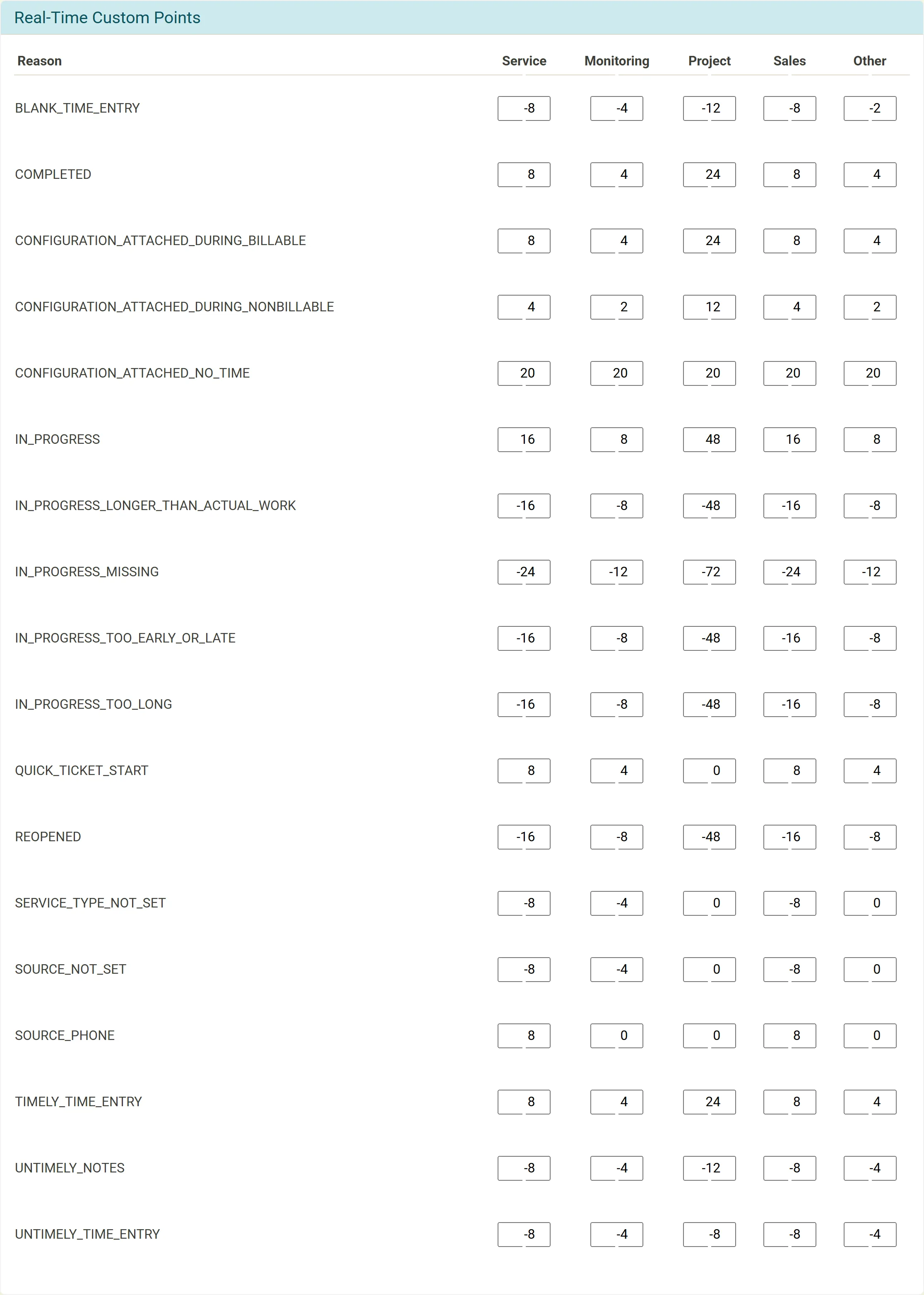
Changes are not applied to the past: they count for tickets updated after you make them. Each event is explained, with its standard points, in Real-time points.