
Use the Configuration Checklist
The Configuration Checklist is built from what you chose in Manage Configuration Types. Open it from the Configuration Station page with Open Configuration Checklist.
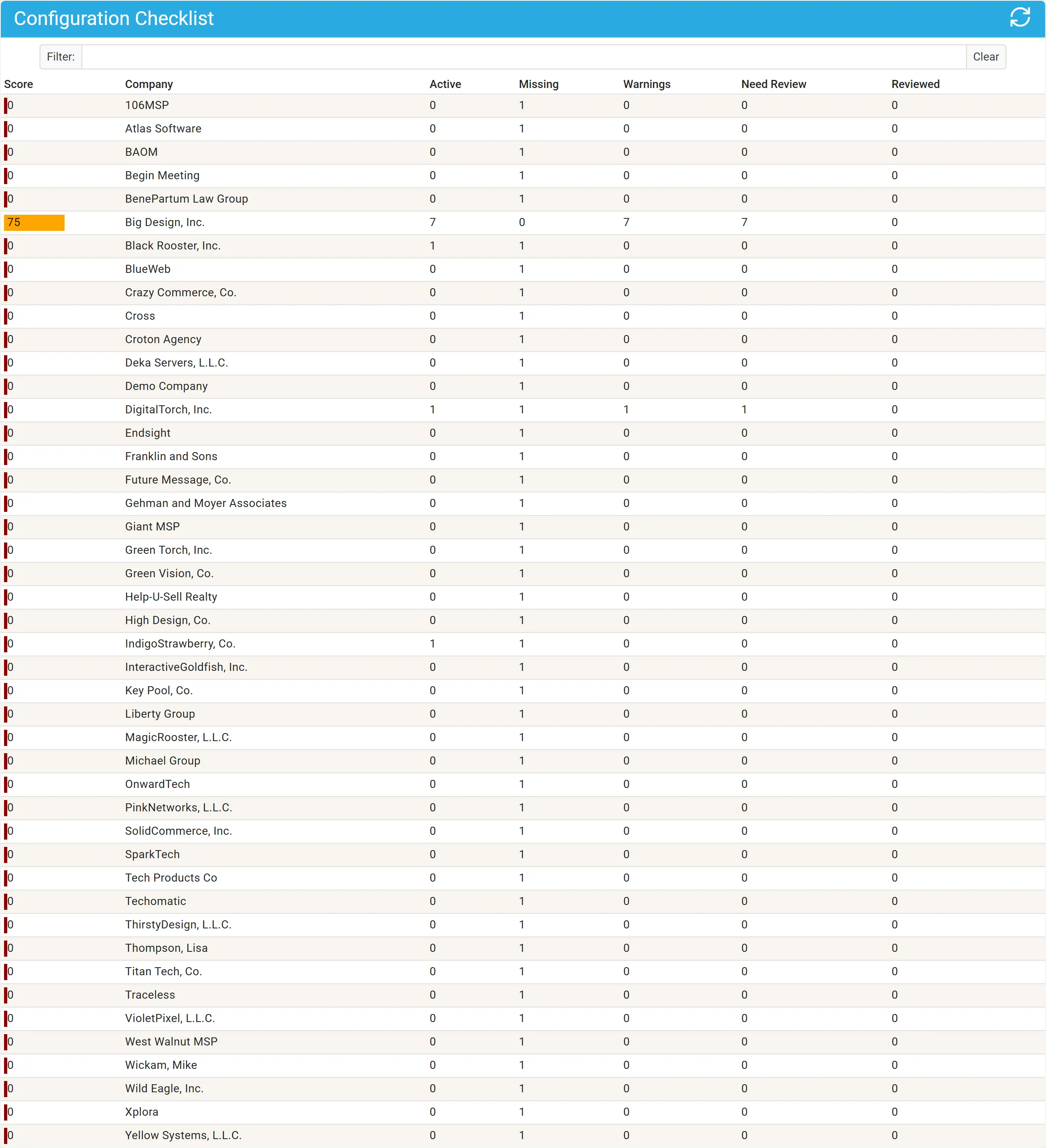
The company list
Section titled “The company list”Each active client your settings apply to is listed with its score and counts. Type in Filter to find a company.
| Column | Shows |
|---|---|
| Score | 0 to 100, as a colored bar. See The checklist score. |
| Company | The client. |
| Active | Its active configurations of the types that apply to it. |
| Missing | Required configuration types it has no active configuration of. |
| Warnings | Configurations with something wrong: a required field empty, a required question unanswered, a review due, or a duplicate name. |
| Need Review | Configurations due for review. |
| Reviewed | Configurations reviewed within their cycle. |
Each company’s row fills in on its own, so a long list completes over a few moments.
A company
Section titled “A company”Click a company to see its Configuration Checklist by configuration type, with a Status for each type (a green check, a yellow warning or a red stop) and its Review Cycle. The + button creates a configuration for the company.

A configuration type
Section titled “A configuration type”Click a type to list the company’s configurations of it, with a column for each required field (a missing value is marked), and, when the type has a review cycle, Reviewed (Review Completed, Review Cycle Up or Never Reviewed) and Last Reviewed. When the company has none, the page says there are no active configurations of the type.
Click a configuration to open it in full and correct it. See Edit a configuration.
Exempting a configuration
Section titled “Exempting a configuration”A configuration whose name contains n/a is never warned about. Use it for a record that is incomplete on purpose.