
Force the One Ticket Method
By default each technician chooses for themselves between the Classic Method and the One Ticket Method (what the difference is). You can make the One Ticket Method the only one. You need Nilear’s Admin access level.
- Open Settings, then My Tickets, at app.nilear.com.
- In MTX Interface, turn on Force One Ticket Method.
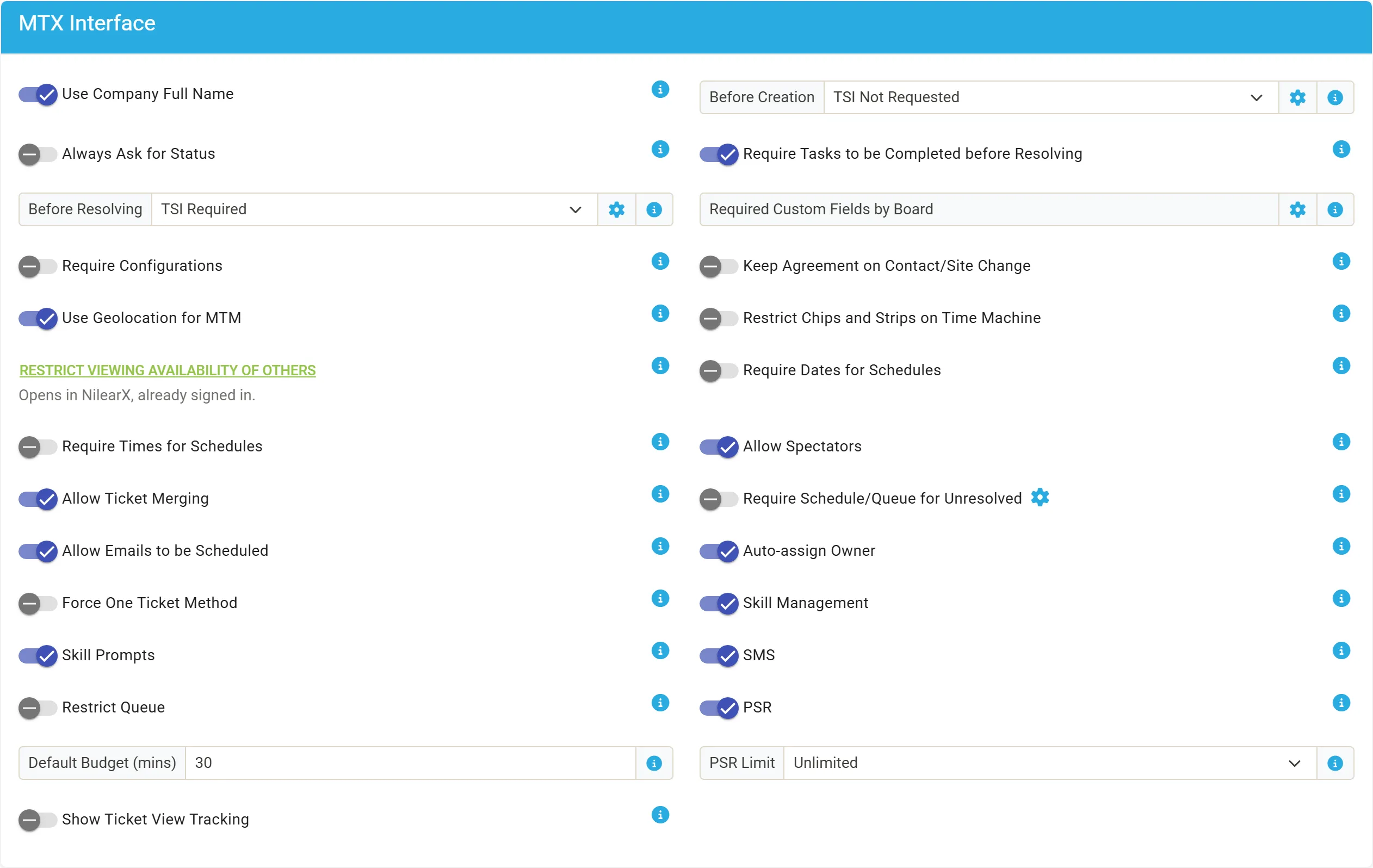
Its own explanation: “By default, MTX will allow users to choose between One Ticket Method and Classic Method. Enabling this feature will force all users to use the One Ticket Method.”
What technicians see
Section titled “What technicians see”In MTX Preferences, Working Ticket Method, the Classic Method card is no longer offered and One Ticket Method is selected. A technician can still choose whether a ticket put into Auto PSR resumes on its own, with Resume Auto PSR tickets automatically.
Settings that work with it
Section titled “Settings that work with it”All in MTX Interface:
| Setting | With the One Ticket Method |
|---|---|
| PSR | When it is off, a technician working one ticket must wrap it up before starting another. MTX says “Another Ticket Already In Progress”. |
| PSR Limit | When a technician already holds that many tickets in PSR or Auto PSR, starting another ticket is refused with “Reached PSR Limit of N”. Nilear recommends 2 or 3. |
AI clients need it
Section titled “AI clients need it”A technician’s AI client, connected through External AI, reads MTX tickets only for a technician on the One Ticket Method. Forcing it means no technician has to change their own preference first.