
Set up Support Advisor on your help desk
The situation
Section titled “The situation”An MSP’s administrator wants technicians on the Help Desk board to get advice drawn from how the team has fixed similar tickets before. Ticket Automation already sets Type, SubType and Item on that board, in Preview while the team gets used to it. The administrator has the Admin access level and has added the company’s OpenAI key.
1. Switch Support Advisor on
Section titled “1. Switch Support Advisor on”In Nilear’s Ticket Automation area, the administrator opens Support Advisor and turns on the switch.

Nothing runs yet: the page’s header says Support Advisor is not ticked on any board.
2. Choose the board
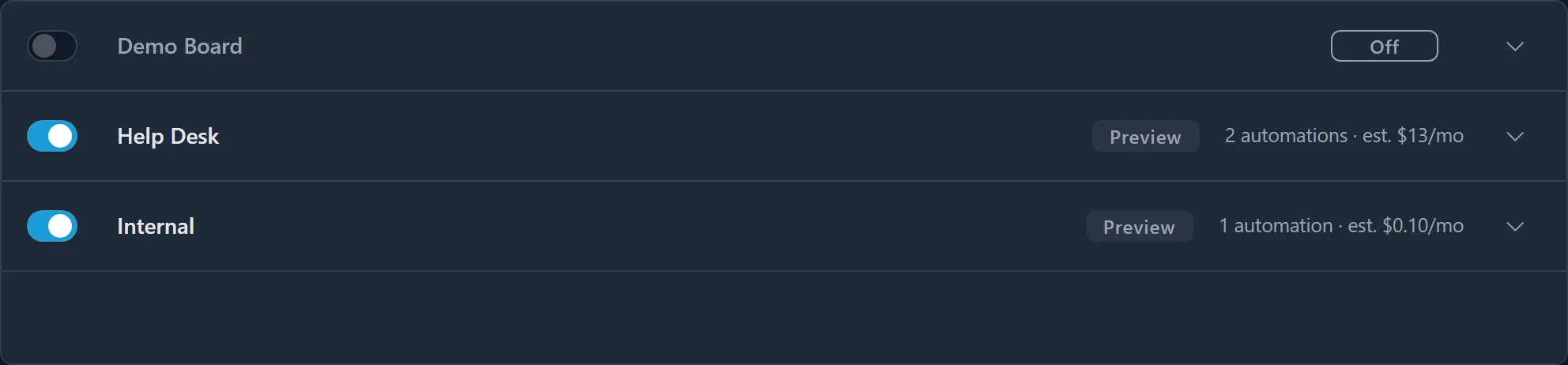
Section titled “2. Choose the board”On the Boards page, Help Desk is already switched on, in Preview, with one automation.
3. Tick Support Advisor and index past tickets
Section titled “3. Tick Support Advisor and index past tickets”The administrator expands Help Desk and ticks Support Advisor. The setup panel opens. Help Desk tickets repeat often, so the administrator chooses Index past tickets too, reads the One-time backfill estimate for each Backfill start year, and settles on two years back, the default. Confirm saves it.
The backfill starts. Under Indexing, the board shows its progress, and once it has finished:
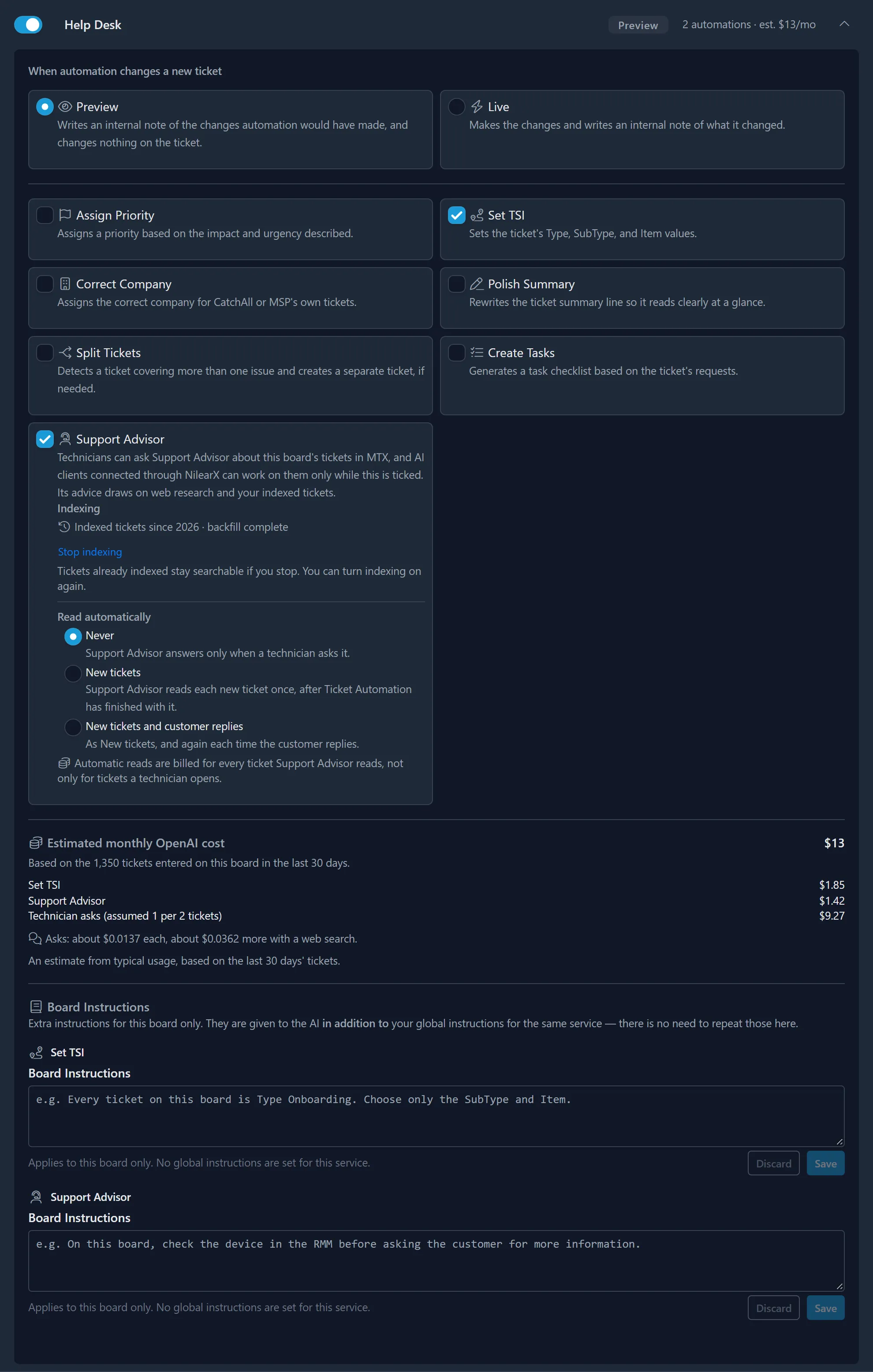
The board’s Estimated monthly OpenAI cost now includes Support Advisor’s indexing and the technicians’ asks.
4. Decide on automatic reads
Section titled “4. Decide on automatic reads”Read automatically starts at Never: Support Advisor answers when a technician asks. The administrator leaves it there for the first weeks, to see how technicians use it before paying to read every new ticket. Later, choosing New tickets would have advice waiting on each new ticket. See Read new tickets automatically.
5. Tell Support Advisor how the team works
Section titled “5. Tell Support Advisor how the team works”Under Board Instructions, the administrator adds for Support Advisor: “On this board, check the device in the RMM before asking the customer for more information.” Save checks the instruction first, then saves it. See Write instructions.
The outcome
Section titled “The outcome”Within about five minutes, technicians working Help Desk tickets see the Support Advisor tab in MTX, and can ask about any ticket on the board. Their advice cites the board’s past tickets, from the companies each technician can see.