
Filter the ticket list
MTX’s ticket list, on the Tickets tab and on My Queue, has two kinds of filter: the switches in the Filters menu and a filter under each column title. Every filter you turn on is shown as a chip beside Filters; click a chip’s ✕ to turn that filter off.
The Filters menu
Section titled “The Filters menu”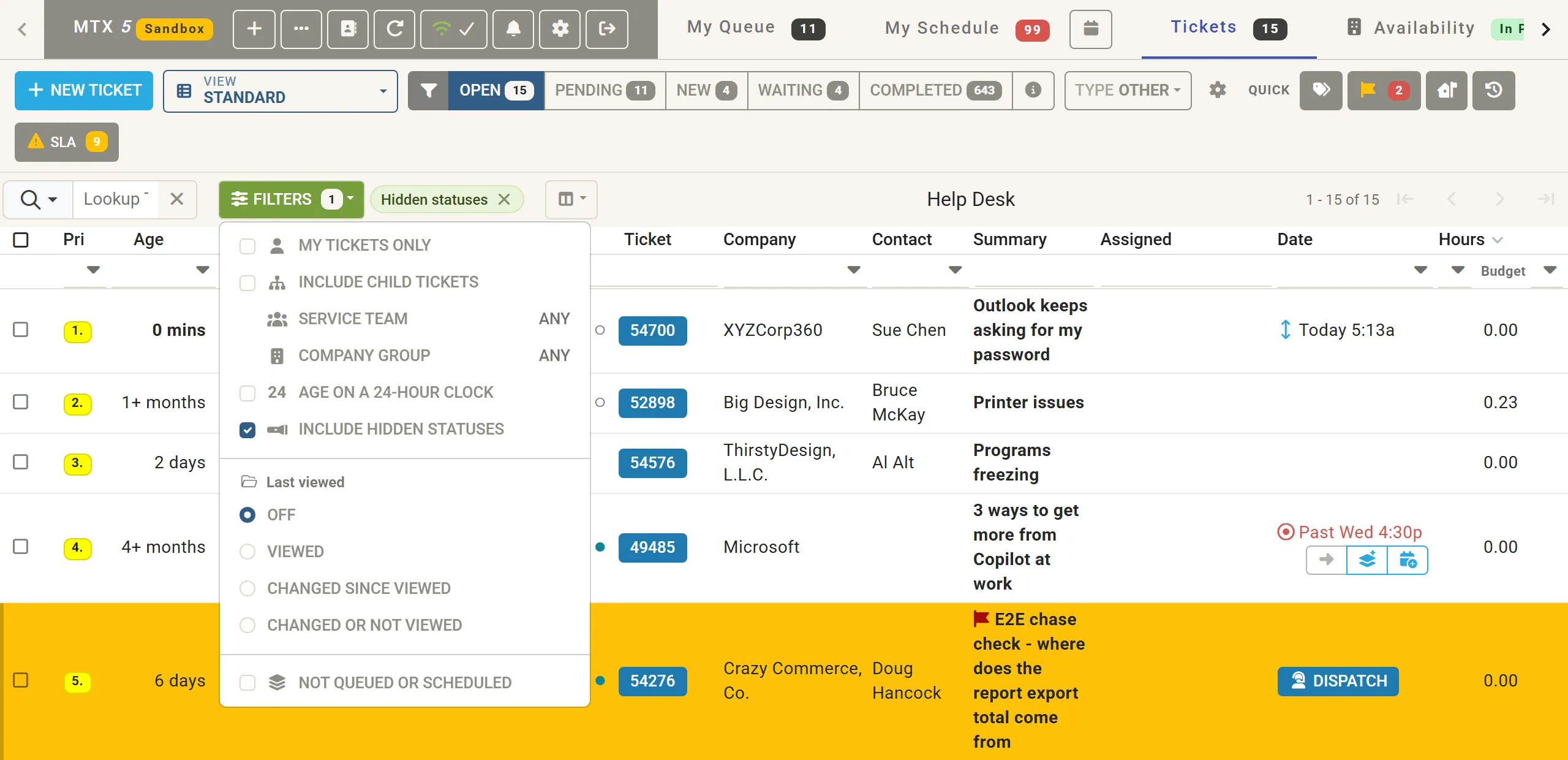
On the Tickets tab:
| Filter | Does |
|---|---|
| My tickets only | Only tickets assigned to you, or on which you have an open schedule. |
| Include child tickets | Lists child tickets too. A child ticket a customer responded on is always listed. |
| Service team | Only tickets of the team you choose. |
| Company group | Only tickets of the companies in the group you choose. |
| Age on a 24-hour clock | Counts Age and Modified on a 24-hour clock instead of your office hours. |
| Include hidden statuses | Lists tickets in closed statuses and in statuses the board hides. |
| Last viewed | Viewed: tickets you opened today. Changed since viewed: tickets changed since you opened them today. Changed or not viewed: tickets changed since you opened them today, and tickets you have not opened today. |
| Not queued or scheduled | Hides tickets that are queued or scheduled, unless a customer responded or there is an in-house update for you. |
The Filters button shows how many are on. Your choices are kept for next time.
A folder icon beside a ticket number marks a ticket you opened today; it fills in when the ticket has changed since.
The column filters
Section titled “The column filters”The row under the column titles holds a filter for each column. Type or choose in it; the list narrows as you go.
- Text matches anywhere in the field, ignoring case.
- Start with
^to match the beginning of the field only:^Bigfinds “Big Design, Inc.” but not “Very Big Co.”. - In a number column,
>and<compare:>2in Hours. - Most filters can be turned round to exclude what matches.
- In Assigned,
!finds unassigned tickets. - A ticket number of three or more digits opens that ticket.
A list column, such as Status or Board/Project, chooses one value; switch its drop-down from Single to Multiple to tick several. Clear column filters, after the chips, clears every column filter at once and leaves the Filters menu as it is.
When the Summary, Assigned or Hours cell also shows the company, contact, schedule or budget, its filter cell holds a filter for each of them too, each labelled with its field’s name.