
A ticket from the queue to resolution
The situation
Section titled “The situation”Sue Chen calls the help desk: since this morning, Outlook asks for her password every few minutes, on her laptop only, while webmail works. The technician creates the ticket on the New Ticket tab (contact Sue Chen, summary “Outlook keeps asking for my password”, board Help Desk, priority Priority 3 - Normal Response, source Phone). MTX fills in the board’s default status, New. The Help Desk board queues its new tickets, so the ticket joins the queue at once. See Create a ticket.
1. Take it from the queue
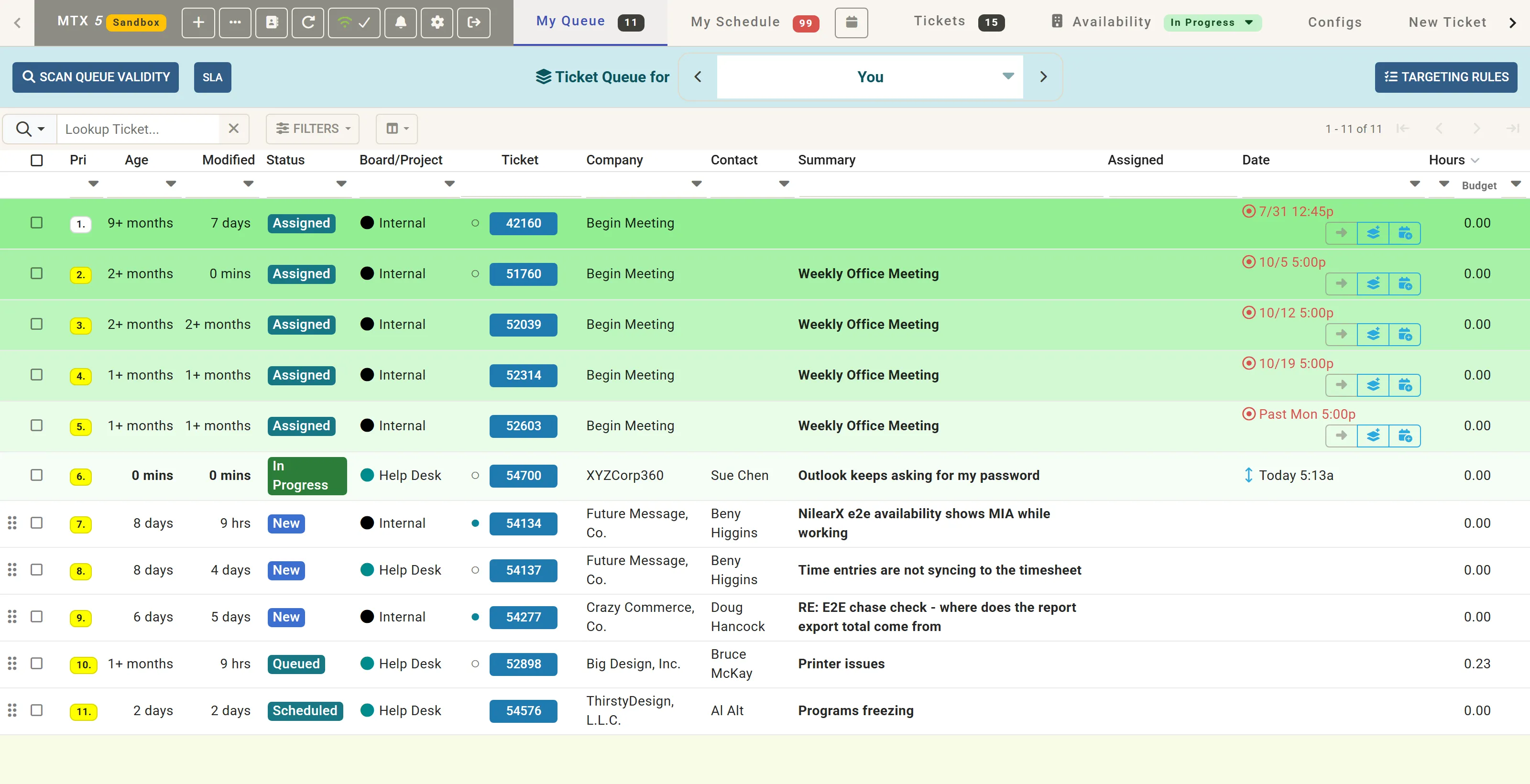
Section titled “1. Take it from the queue”The technician opens My Queue, clicks ticket 54700 to open its summary, and clicks Work on Ticket.
At once, the ticket moves to In Progress, the technician’s availability shows In Progress, and a tab for the ticket opens at the end of the tab bar with the timer running. In the queue, the ticket now sorts ahead of the queued tickets.
See Start and stop work.
2. Write working notes as the work goes
Section titled “2. Write working notes as the work goes”On the Working Notes step, the technician writes one note after the call and another after the fix, pressing Enter after each:
- “Called Sue: Outlook prompts for her password every few minutes on her laptop only. Webmail works.”
- “Cleared the saved Outlook credentials in Windows Credential Manager and signed in again. No prompts for 15 minutes.”
Add Notes to stays on Discussion, with Include with Email ticked, so the notes go to the customer with the email. The ticket’s own notes are on the right, with Ticket Automation’s suggested type above them.
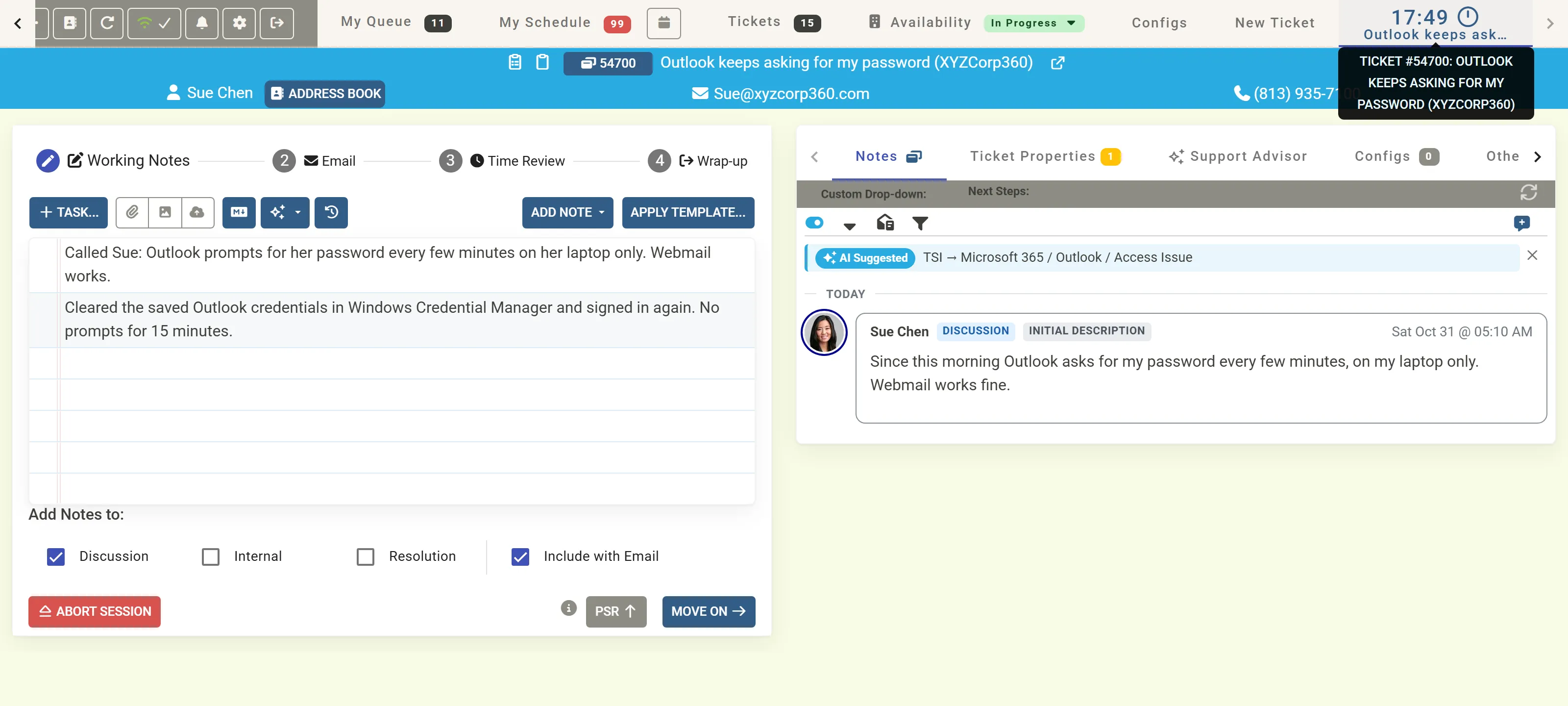
The technician clicks Move On. See Write working notes.
3. Write the email
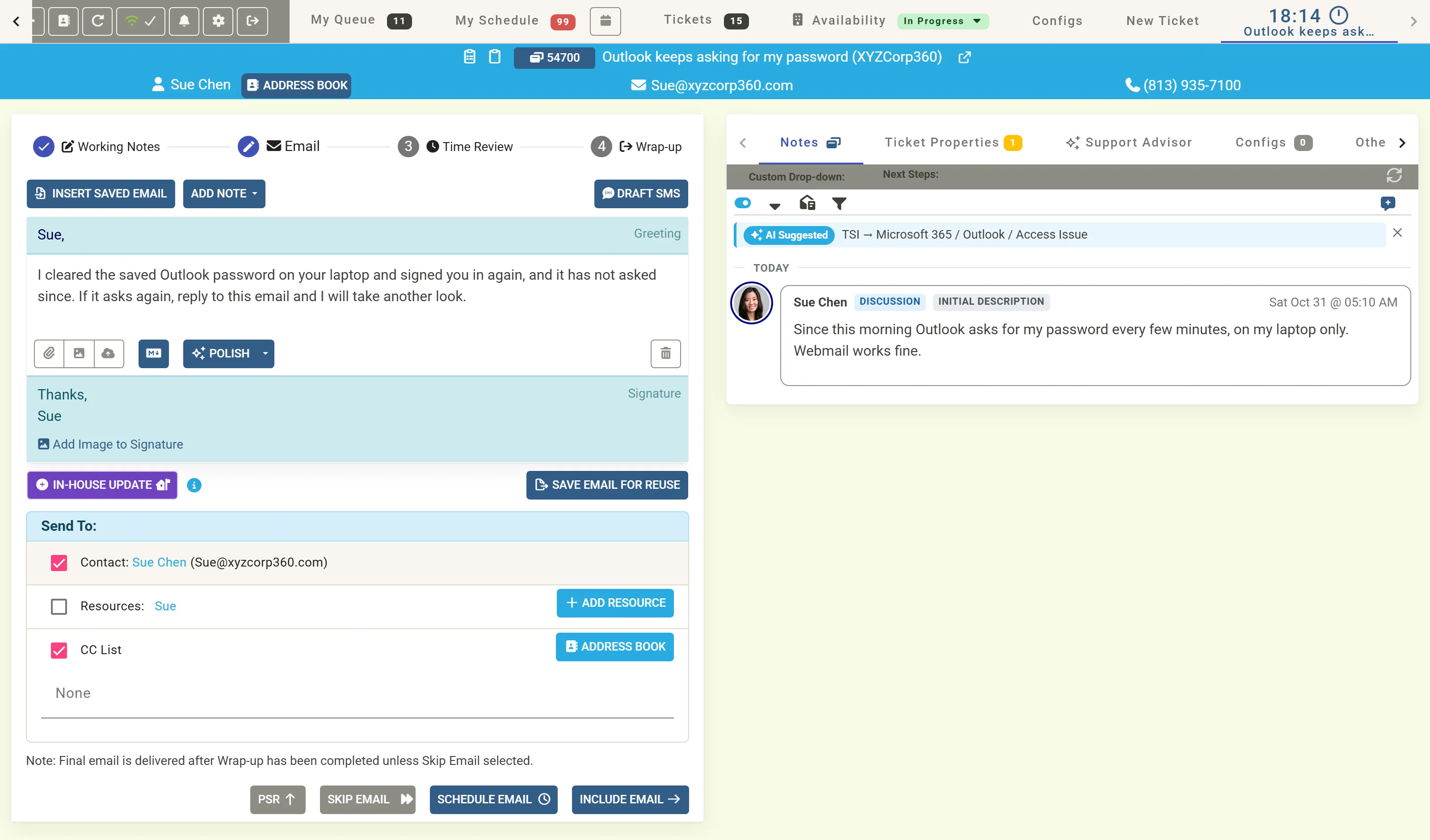
Section titled “3. Write the email”On the Email step, MTX has filled the greeting, “Sue,”, and the signature. The technician writes the body:
I cleared the saved Outlook password on your laptop and signed you in again, and it has not asked since. If it asks again, reply to this email and I will take another look.
Send To has the contact, Sue Chen, ticked. The technician clicks Include Email: the email will go once wrap-up is done.
See Send an email.
4. Review the time
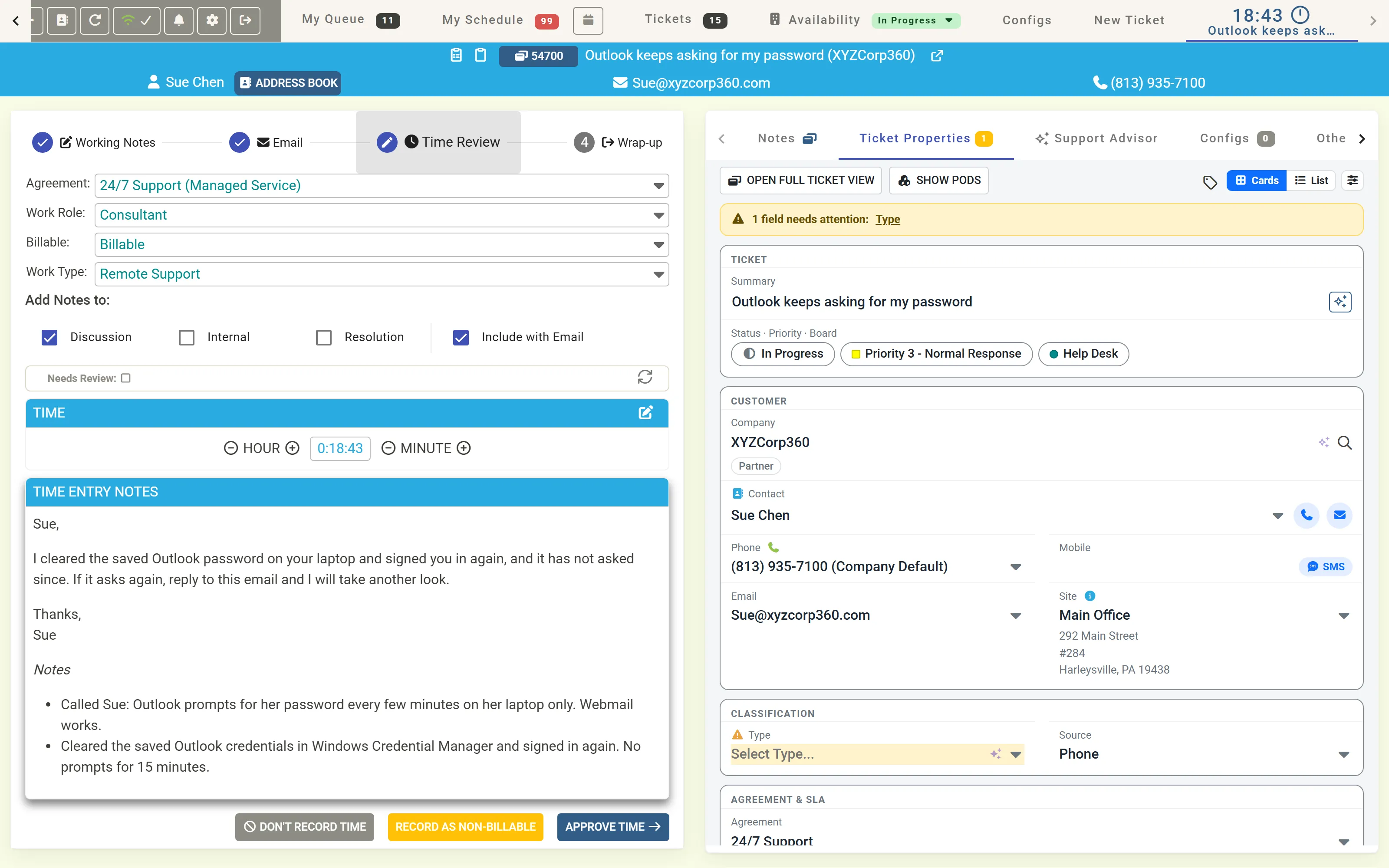
Section titled “4. Review the time”On Time Review, MTX shows the time entry it prepared: the ticket’s agreement, the work role, Billable, and the work type Remote Support, with the timer’s time and the notes that will be saved, the email first and the working notes under Notes. The technician checks it and clicks Approve Time.
See Record time.
5. Wrap up as Completed
Section titled “5. Wrap up as Completed”On Wrap-up, the email shows as Include Email, and Status Options offers the board’s statuses. The issue is fixed, so the technician clicks Move to “Completed”.
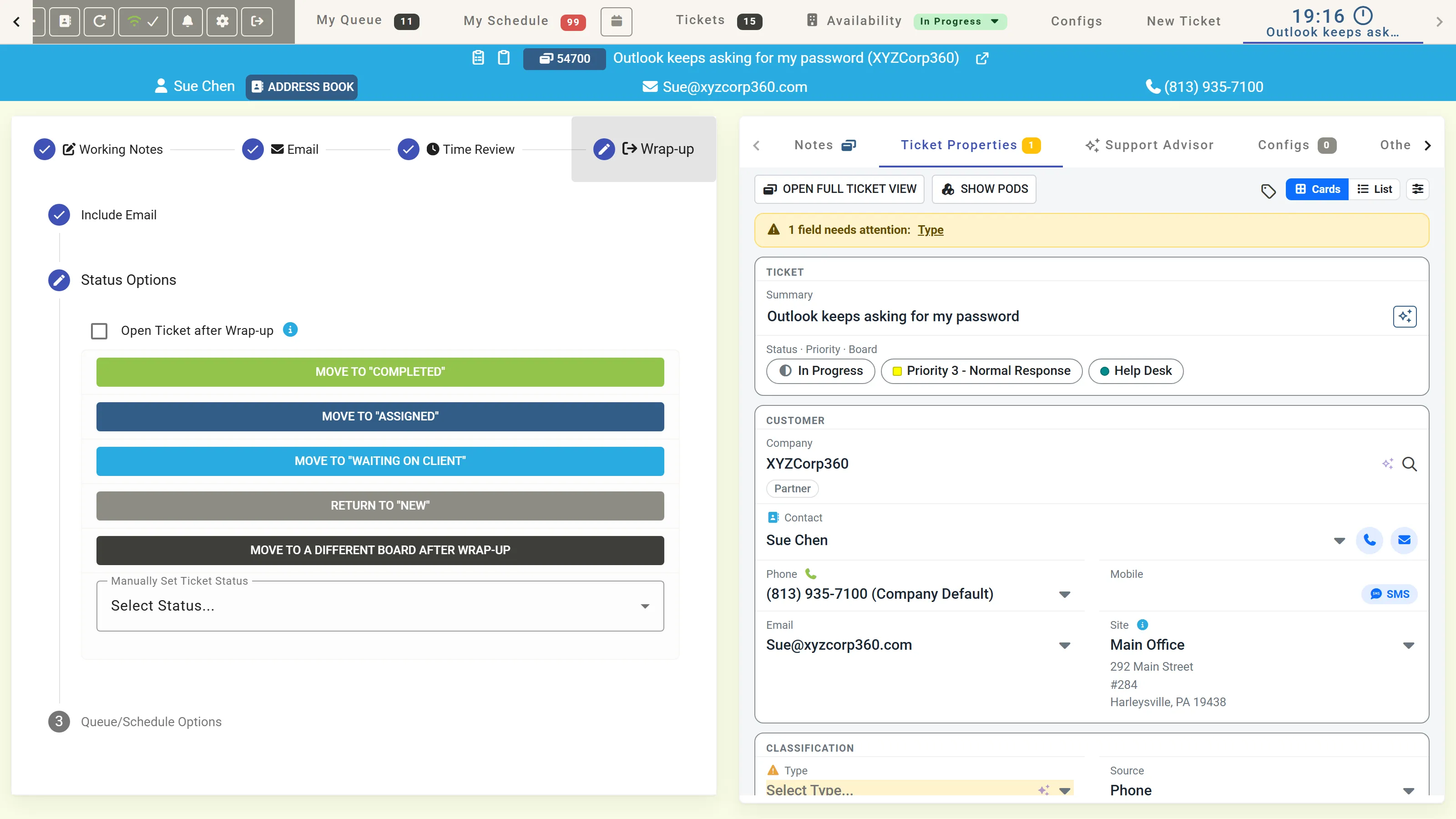
The ticket has no type yet, and Completed needs one, so MTX opens Missing Required Information with the type, subtype and item to fill in. The technician clicks Suggest TSI. TSI Suggestion Review proposes Microsoft 365, Outlook and Access Issue; the technician clicks Use AI Values, then Move to “Completed”.
The session ends: the ticket’s tab closes, and MTX returns to the tab the technician last used. A completed ticket has no queue or schedule step: MTX takes it off the queue and completes the technician’s schedule record.
See Wrap up a ticket.
6. The result
Section titled “6. The result”Opened again, ticket #54700 is Completed, with its type Microsoft 365, subtype Outlook and item Access Issue. Its notes hold one new discussion note: the email and the working notes, saved with the time entry of 0.4 h of Remote Support, from 05:12 AM to 05:36 AM.
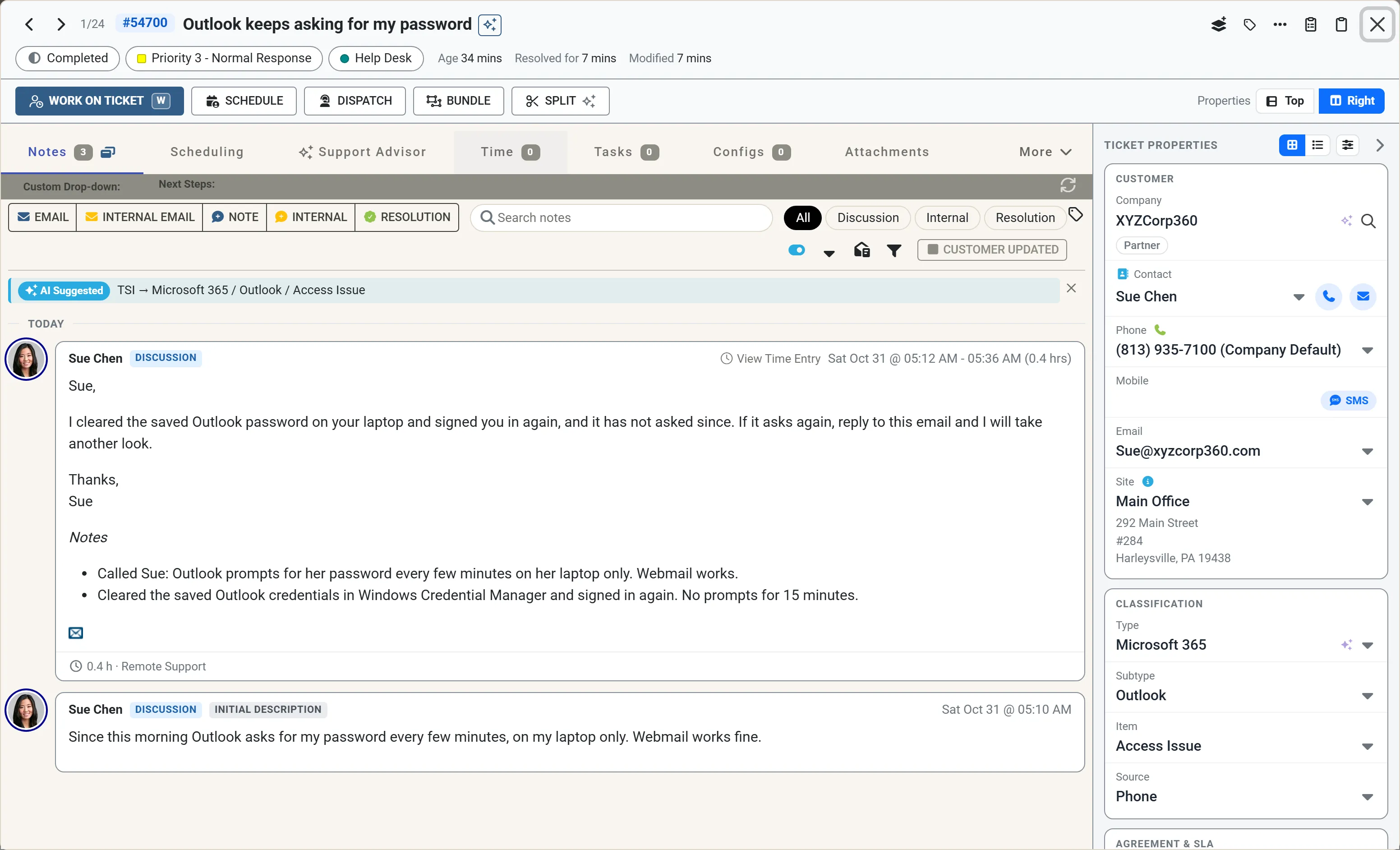
Nothing else was needed: one session gave the ticket its status, its notes, the customer’s email and the time entry.