
Save, share and delete maps
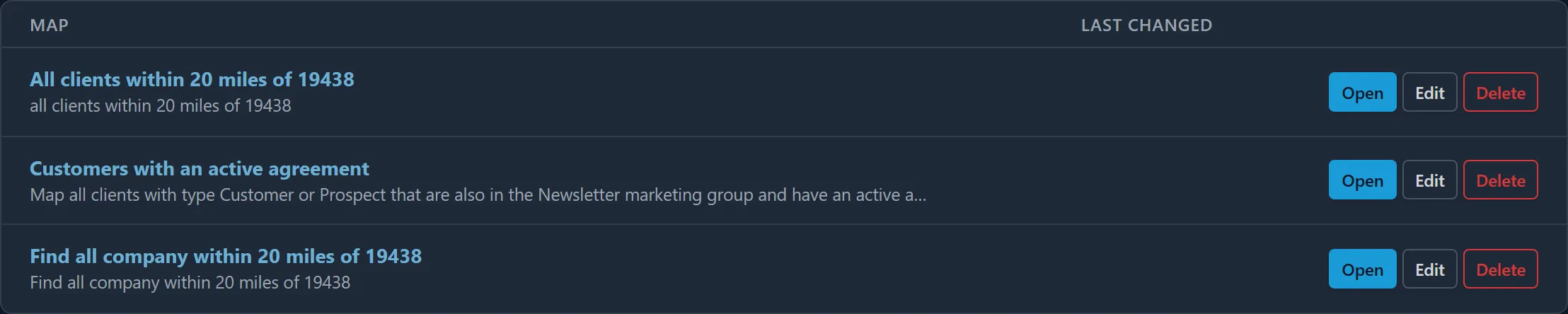
Save a map
Section titled “Save a map”In the map editor, fill in:
- Name: up to 200 characters;
- Description: optional, up to 2,000 characters. The sentence you described the map with is a good description;
- Private: only I can see this map: tick it to keep the map to yourself.
Then click Save map. Saving needs the Read/Write Client Mapper level or above.
Who sees a saved map
Section titled “Who sees a saved map”- A shared map is listed on the Maps page for everyone in your company who may open maps, with the day it was last changed and by whom.
- A private map, marked Private in the list, is seen and changed by its creator only. Only the map’s creator can make it private.
Each person sees a shared map’s clients as their own ConnectWise access allows. See What each person sees.
Change or delete a map
Section titled “Change or delete a map”On the Maps page, Edit opens a map in the editor, and Delete asks you to click Delete it to confirm. Both are shown only on maps you may change:
| Your Client Mapper level | You may |
|---|---|
| Read Only | Open shared maps and your own private maps. |
| Read/Write | Also create maps, and change or delete your own. |
| Manager or Admin | Also change or delete any shared map. |
Every change and deletion is recorded with the map and who made it.
A map unused for 90 days
Section titled “A map unused for 90 days”Client Mapper keeps your company’s index of clients while maps are being used. If no map is created or opened for 90 days, the index is removed; saved maps stay, and the next person to open Client Mapper starts indexing again. See The client index.