
One Ticket Method and Classic Method
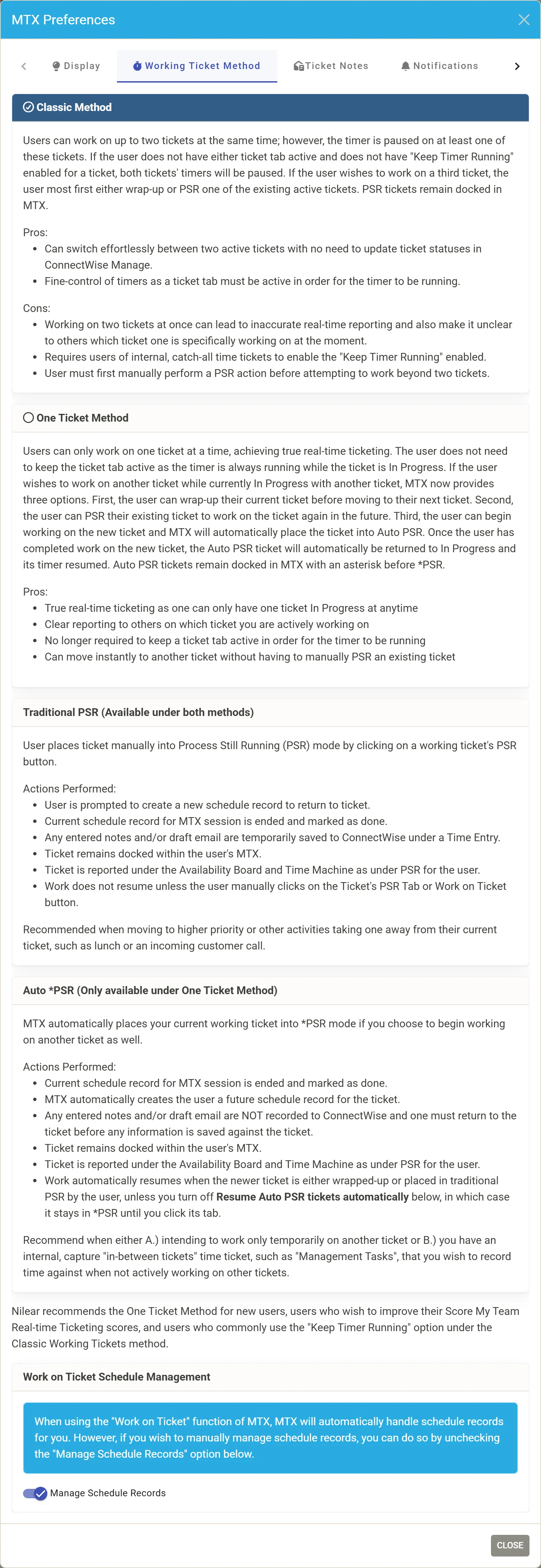
MTX times a technician’s work on a ticket while the ticket is in progress. How many tickets can be in progress at once, and when their timers run, depends on the working ticket method. Each technician chooses it in MTX Preferences, Working Ticket Method, unless their company forces the One Ticket Method.
Classic Method
Section titled “Classic Method”- Up to two tickets can be in progress at the same time.
- A ticket’s timer runs only while its tab is the one selected. With neither ticket’s tab selected, both timers are paused, unless the technician turned on Keep Timer Running for a ticket.
- To start a third ticket, the technician first wraps up one of the two or puts it in PSR. Otherwise MTX refuses with “Two Tickets Already In Progress”.
It lets a technician switch between two tickets without changing their statuses in ConnectWise, and gives fine control of the timers. But working two tickets at once makes real-time reporting less accurate and makes it unclear to others which ticket the technician is on.
One Ticket Method
Section titled “One Ticket Method”- Only one ticket is in progress at a time, so others always see the ticket the technician is really working.
- The timer runs while the ticket is in progress, whichever tab is selected.
- To start another ticket, the technician can wrap up the current one, put it in PSR, or simply start the new one: MTX then puts the current ticket into Auto PSR, shown as *PSR on its tab.
Nilear recommends the One Ticket Method for new users, for technicians who want better Score My Team real-time ticketing scores, and for those who often use Keep Timer Running under the Classic Method.
Auto PSR
Section titled “Auto PSR”Auto PSR exists only under the One Ticket Method. When a technician starts another ticket:
- the session’s schedule record is ended and marked done, and MTX creates a future schedule record for the ticket;
- notes and email drafts are not saved to ConnectWise yet; they are saved when the technician returns to the ticket;
- the ticket stays docked in MTX and shows as PSR on the Availability board and in the Time Machine.
When the newer ticket is wrapped up or put in PSR by hand, the Auto PSR ticket goes back in progress and its timer resumes, unless the technician turned off Resume Auto PSR tickets automatically. Then it stays in *PSR until they click its tab.
Traditional PSR, by the PSR button, works under both methods: see PSR.
Limits set by your company
Section titled “Limits set by your company”| Setting | Effect |
|---|---|
| PSR off | Under the One Ticket Method, a technician must wrap up their ticket before starting another: there is no Auto PSR. |
| PSR Limit | Under the One Ticket Method, starting another ticket is refused once the technician holds that many tickets in PSR or Auto PSR. |
AI clients
Section titled “AI clients”A technician’s AI client, connected through External AI, works on MTX tickets only under the One Ticket Method, and only on the ticket the technician is working or holds in PSR.