
Require configuration types and fields
What you choose here builds the Configuration Checklist and decides which configurations are reviewed. You need Config Station access.
-
On the Configuration Station page, click Manage Configuration Types. Configuration Types lists your active ConnectWise configuration types, each with its Review Cycle.
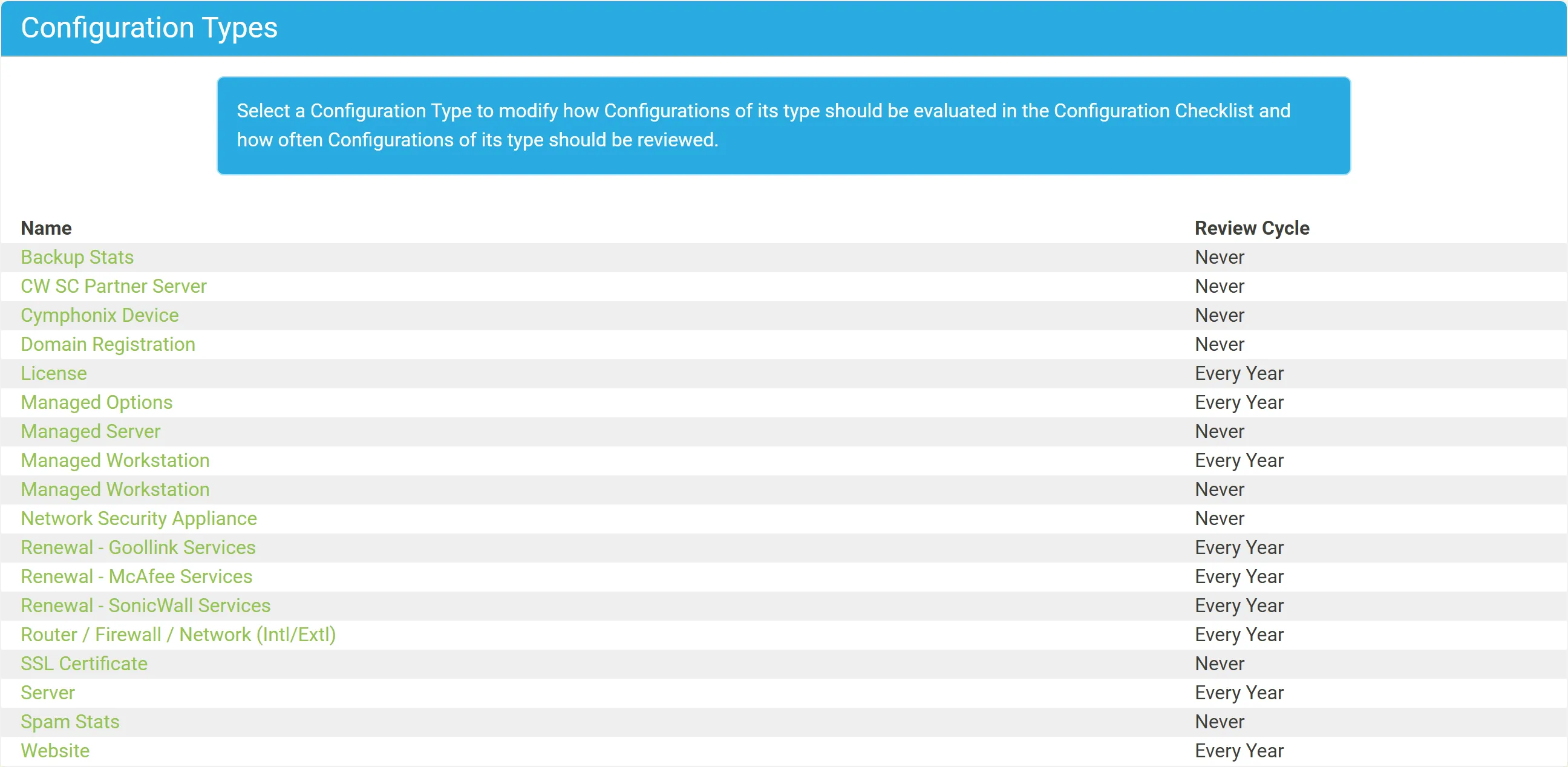
-
Click a type. Its page has four steps: Settings, Company Types, Agreement Types and Reviewers. Every change is saved as you make it. The arrows at the top right go to the previous and next type.
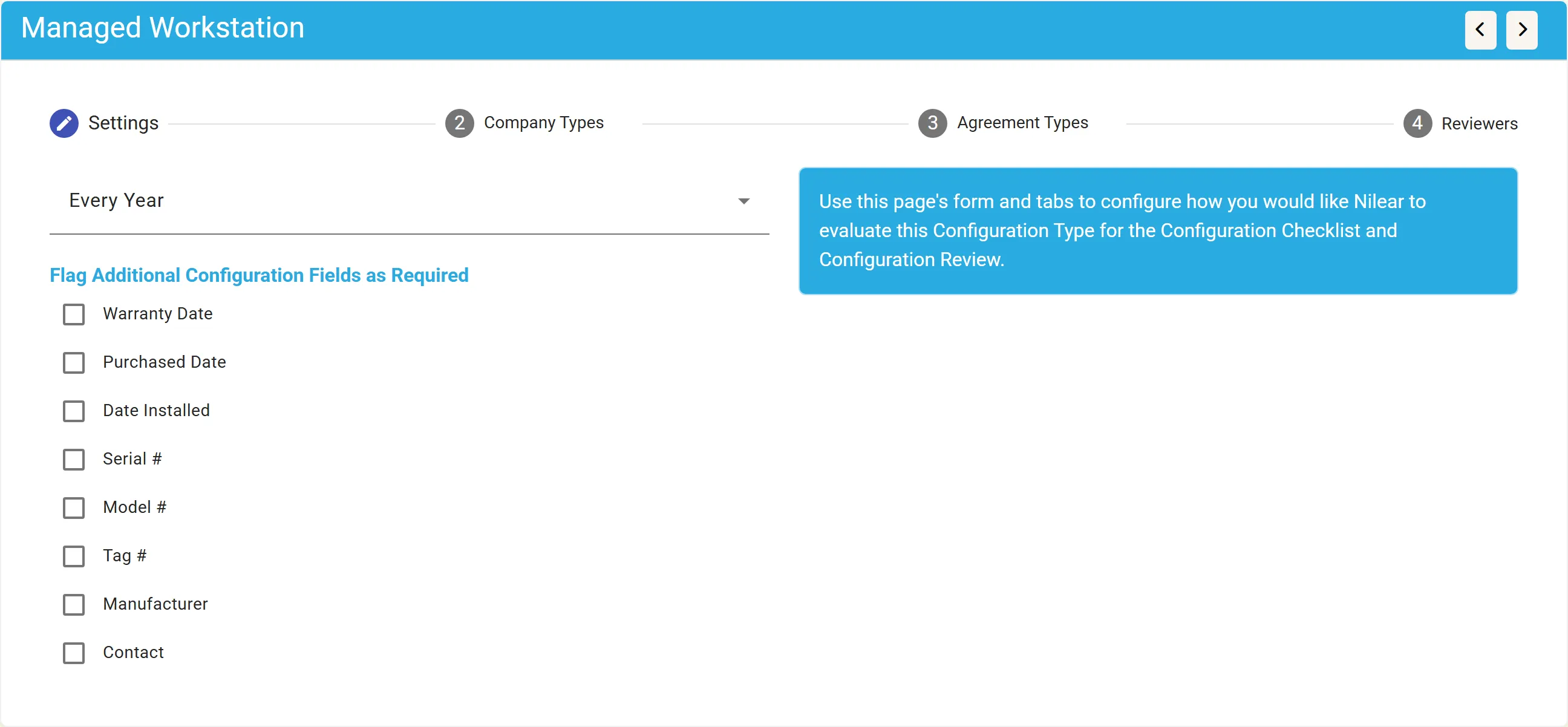
Settings
Section titled “Settings”- Review cycle: how often configurations of this type should be reviewed. Never (the default) means they are not reviewed; Once means each is reviewed once and never again. See Review cycles.
- Flag Additional Configuration Fields as Required: tick the fields every configuration of this type must have: Warranty Date, Purchased Date, Date Installed, Serial #, Model #, Tag #, Manufacturer, Contact. For example, require Serial # on Managed Workstations.
Company Types and Agreement Types
Section titled “Company Types and Agreement Types”Tick the company types, and the agreement types, whose clients must have at least one configuration of this type. For example, require a VoIP configuration for any company with a VoIP agreement, or an “Account Overview” configuration for every company of type Client. Each step’s badge counts the types ticked.
A client counts when its company type is ticked, or when it has an agreement of a ticked type that is not cancelled and has not ended. A client that is neither is not required to have the type; if it has configurations of the type anyway, they are still checked.
Reviewers
Section titled “Reviewers”The Reviewers step lists your members, all selected to start with, with Select All and Clear All. In most cases, leave every member selected.
Nothing on these pages is written to ConnectWise: the settings are kept in Nilear.