
Tidy a client's configurations
The situation
Section titled “The situation”A service manager wants every client’s licenses, firewalls and websites checked once a year. The help desk will do the reviews as tickets, and earn Score My Team points for them.
1. Set a cycle on each type
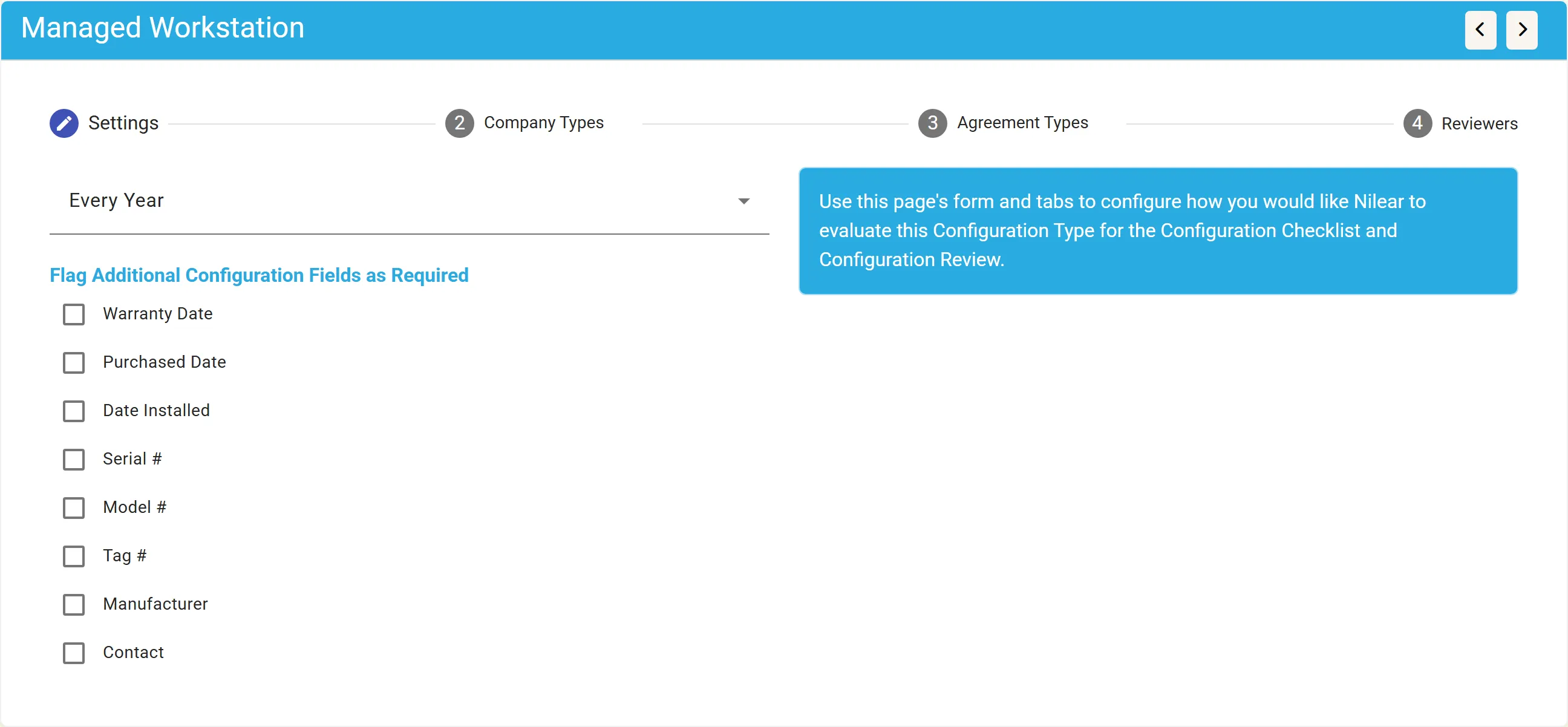
Section titled “1. Set a cycle on each type”In Manage Configuration Types, the manager opens License, Router / Firewall / Network (Intl/Extl) and Website in turn, and sets each one’s review cycle to Every Year. For workstations, the manager also ticks Serial # under Flag Additional Configuration Fields as Required.
2. Read the checklist
Section titled “2. Read the checklist”In the Configuration Checklist, most sandbox companies score 0: they are required to have a type they have no configuration of. Big Design, Inc. scores 75: it has all its types, but all 7 of its configurations carry a warning.
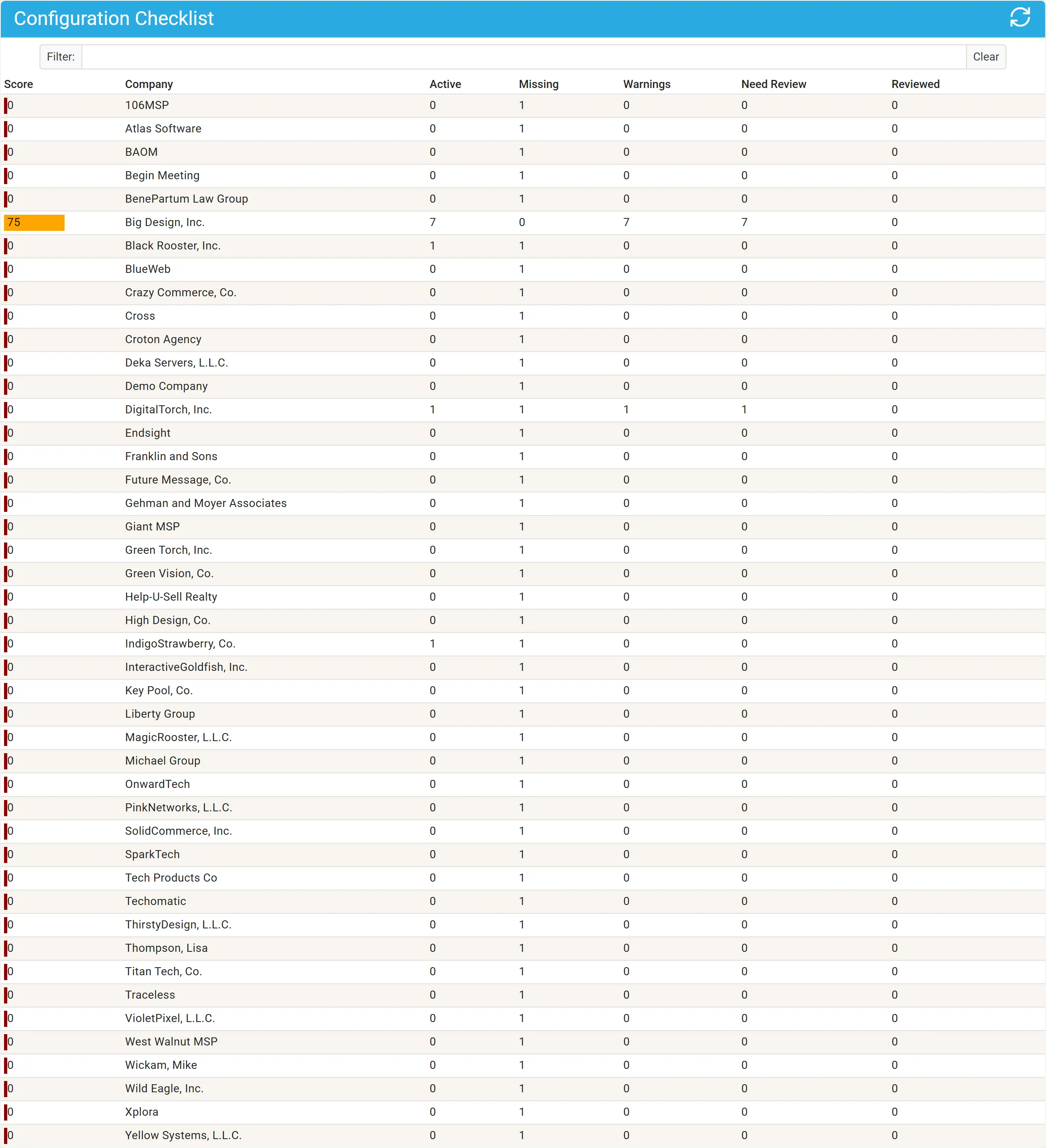
With nothing missing, the 7 warnings out of 7 configurations cost a quarter of the score: 100 less 25 is 75. See The checklist score.
3. Look at the client
Section titled “3. Look at the client”The manager clicks Big Design, Inc. Every type shows a warning, and every configuration needs review: none has been reviewed since the cycle was set.

4. Switch reviews on
Section titled “4. Switch reviews on”An administrator opens Configuration Review Settings and chooses the Help Desk board for review tickets. The status reads ACTIVE.
5. Generate and work the review tickets
Section titled “5. Generate and work the review tickets”In MTX, a technician opens Configs, Review. The due configurations are listed; they click GENERATE TICKET on the SonicWALL firewall.
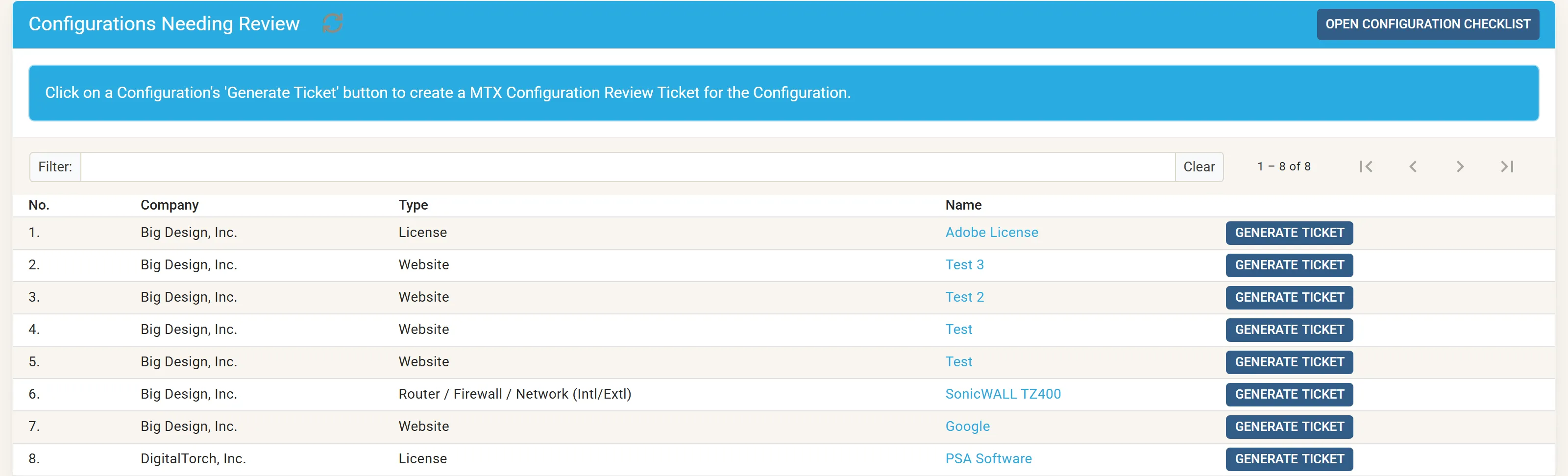
They work the new ticket, confirming each value with the green check, marking the elements that do not apply as Not Applicable, and correcting one wrong serial number. Then they complete the ticket. See Review a configuration.
6. The result
Section titled “6. The result”The firewall is recorded as reviewed and leaves the review list until next year. On the checklist, Big Design, Inc.’s Reviewed count rises and its warnings fall. The technician’s confirmed tasks count towards their Configuration Review points for the day.