
Score a help desk team
The situation
Section titled “The situation”A service manager wants a friendly, visible measure of how well three help desk technicians keep ConnectWise up to date, record their time, document configurations and help each other. The three do the same kind of work, so ranking them against each other is fair.
1. Create the ScoreBook
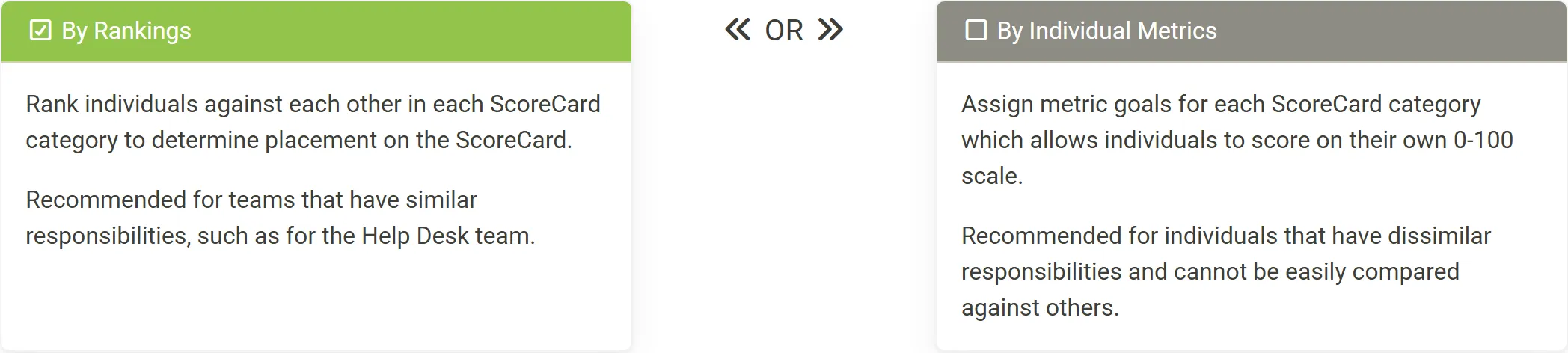
Section titled “1. Create the ScoreBook”In Score My Team, the manager clicks + on Add ScoreBook, names it, and chooses By Rankings, the method recommended for a team with similar responsibilities.
They add the three technicians under Select Members and move on to the monthly ScoreCard.
2. Choose what counts, equally
Section titled “2. Choose what counts, equally”The ScoreCard starts with Real-time Ticketing and Ticket Timesheets. The manager replaces Ticket Timesheets with Timesheets, which counts Technical work types, and adds Configurations and Peer Review from Add Additional Scoring Modules. Each of the four gets the same Scoring Weight, so each is worth 25%.
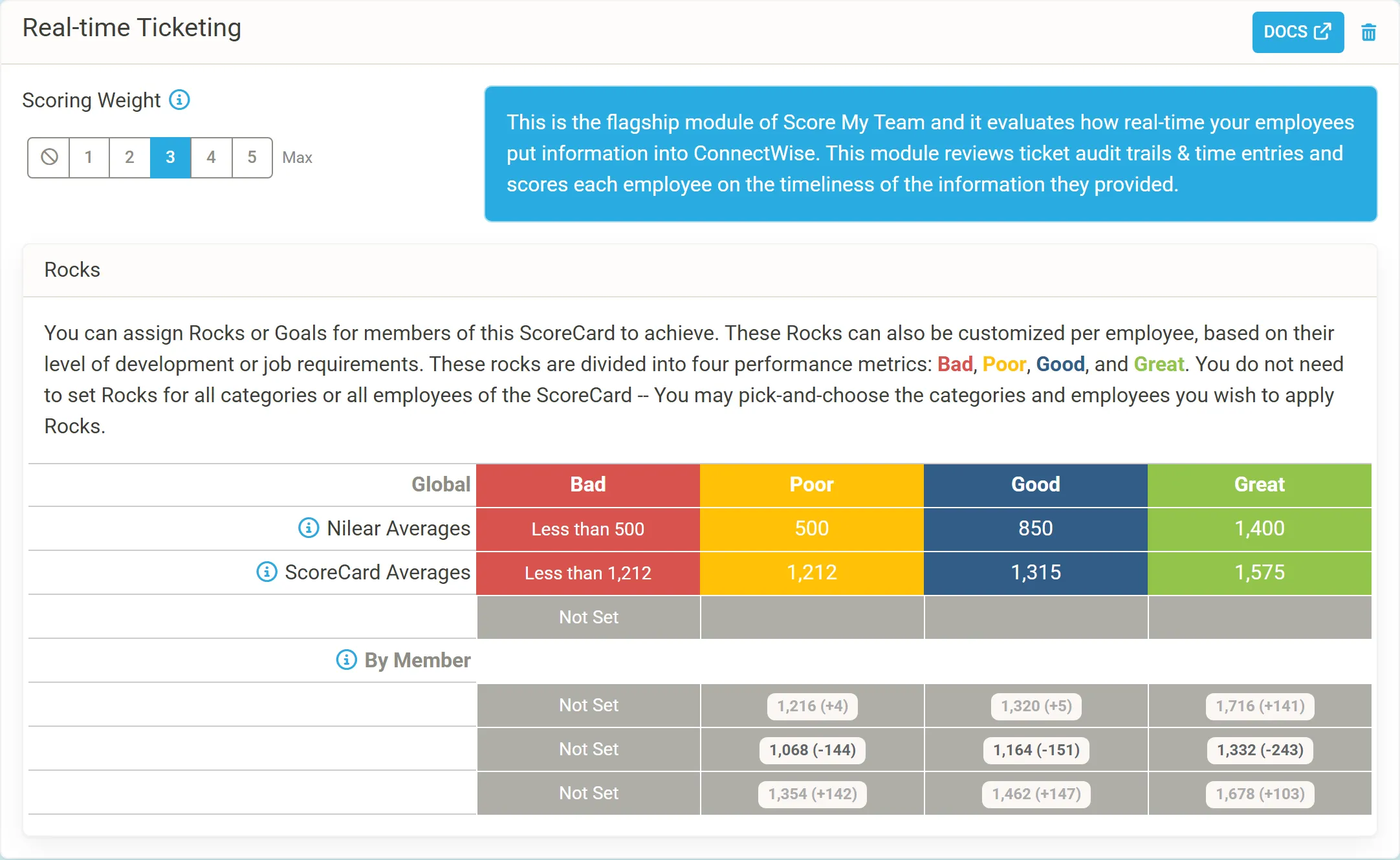
Because the ScoreBook ranks members, Rocks only color the scores here; the manager leaves them unset, so the Nilear Averages are used. They tick Future ScoreCards under Auto Generate so February follows on its own, and tell the team how Real-time Ticketing and timesheet scoring work.
3. Read the month
Section titled “3. Read the month”At the end of January, the ScoreBook shows Final Rankings above the four weeks.
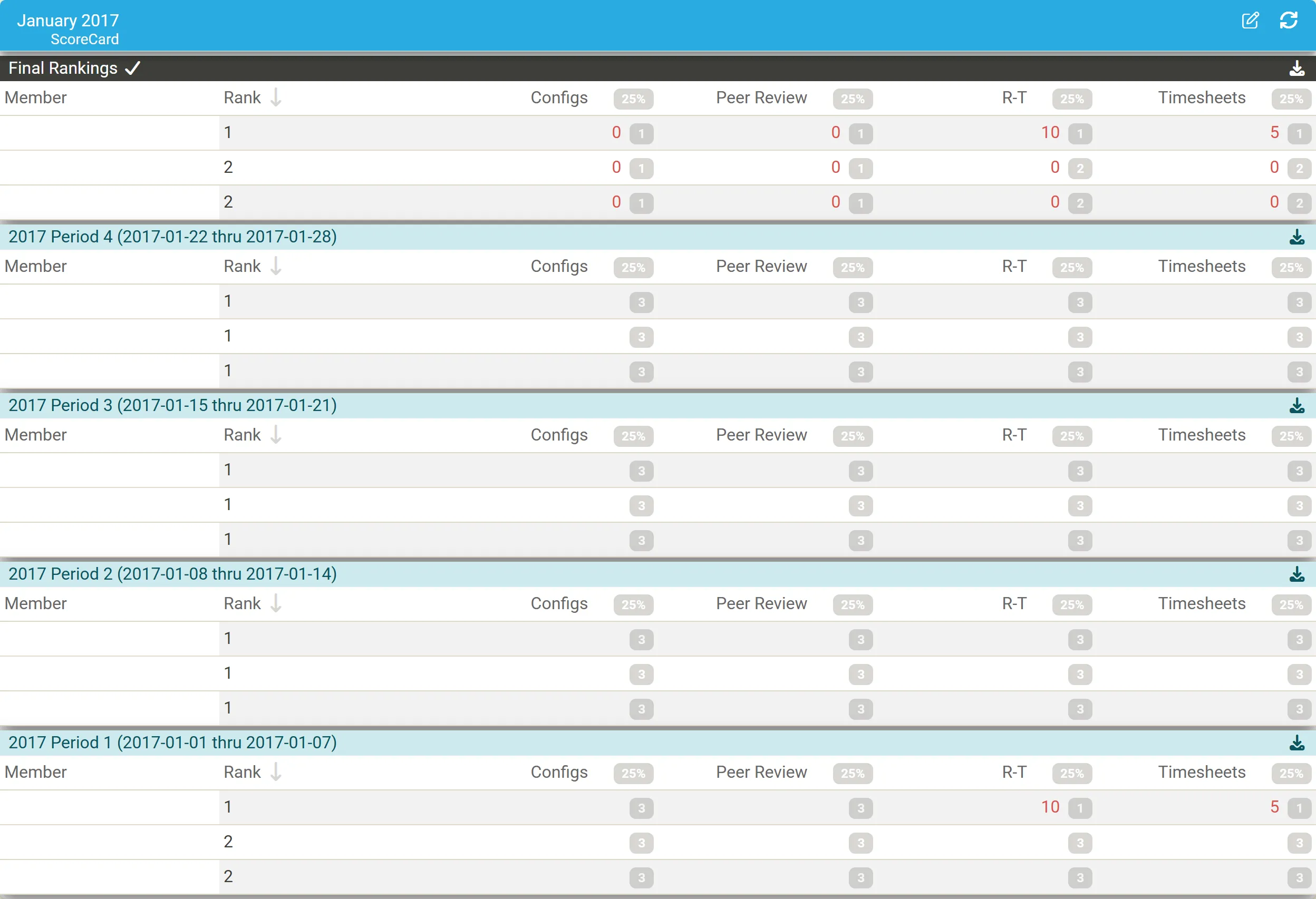
- The technician ranked 1 is the only one with Real-time Ticketing points (10) and Timesheets points (5), all earned in the first week.
- The other two share rank 2 with no points in any module: nothing they did scored that month.
4. Act on it
Section titled “4. Act on it”The manager clicks the leader’s 10 under R-T to see the events behind it, and opens the other technicians’ Timesheet reports to see why they earned nothing: were their entries on Administrative work types, or not submitted? Then they ask the team to link Nilear Live and start reviewing each other, since Peer Review scored nobody all month.