
Acknowledge In-house Updates and Alerts Before Working
When a ticket has an In-house Update you have not acknowledged, Work on Ticket now opens Acknowledge before working. It shows the update in full with an Acknowledge button, and work starts once you press it. Acknowledging marks the update read, as Mark Read does, and Mark Read counts as acknowledging it.
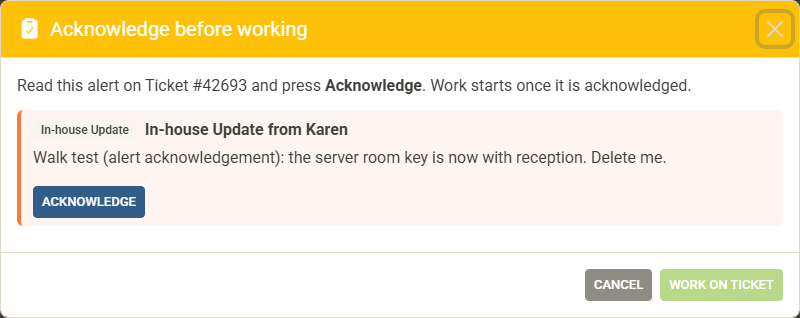
Every member acknowledges for themself: one member’s acknowledgement never clears it for another. When an update or alert is changed, or a new one is added, everyone is asked again. If one is added while you are working the ticket, Complete asks for it before the ticket completes.
Administrators can require the same for the alerts shown above a ticket’s notes in Settings > My Tickets > Require Acknowledgement: the company status pop-up, company type alerts, contact type alerts, flagged company notes and flagged contact notes. Each kind is off until you turn it on. A type alert is acknowledged separately for each company or contact. An alert that needs your acknowledgement stays open with an Acknowledge button, and once acknowledged it lists who acknowledged it and when.