
Include, Ignore or Exclude Groups When Filtering Users
A company’s Filtering tab used to have one checkbox per group, license or OU, which could only limit the sync to its members. Each row now has three modes, so you can also keep members of a group, such as a distribution list of shared mailboxes, out of ConnectWise and off your agreements.
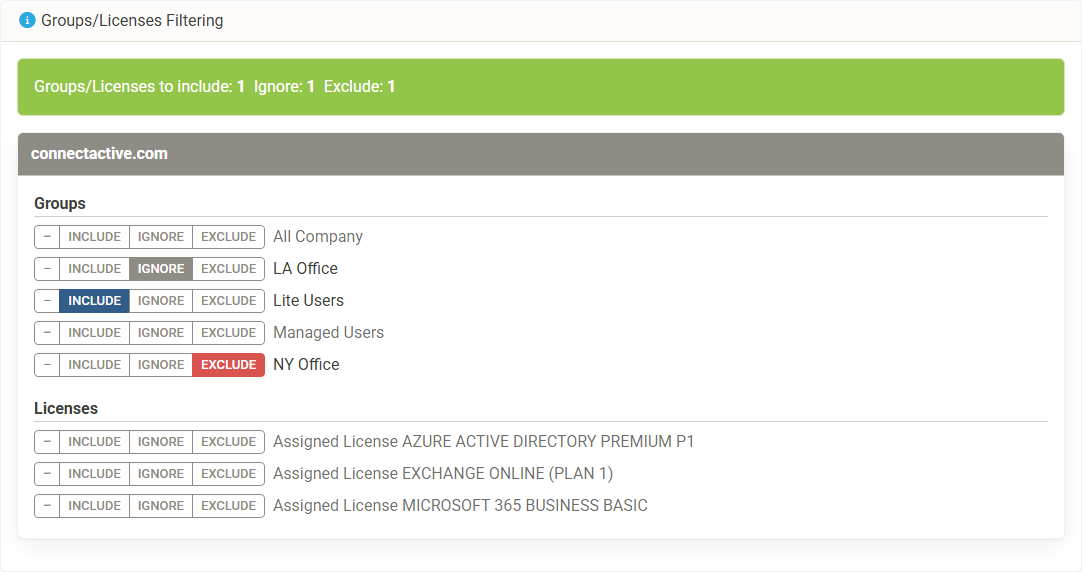
- Include works as the checkbox did. Only users in Include rows are synced, and if nothing is set to Include, every user is.
- Ignore keeps members matched but takes no action on them. Their ConnectWise contacts are not created, updated or deactivated, and they are not counted on any agreement addition. Someone who leaves the group is synced again on the next sync.
- Exclude removes members from the sync. ConnectWise contacts that ConnectActive synced for them are deactivated, new ones are never created, and they are not counted on any agreement addition.
- The strongest mode wins. Exclude beats Ignore, and Ignore beats Include, so you can include a large group and exclude a few of its members.
On the review page, a user ignored by a filter group shows the group’s name. A manual sync lists every contact an Exclude would deactivate before anything is committed. Companies with checked groups keep working exactly as before: those groups now show as Include.
The tab can be found under ConnectActive -> a company -> Filtering.