
Bill by Configuration
ConnectActive can now bill by configuration as well as by user. In the company’s settings, tick the ConnectWise Manage configuration types you bill for, then map one, such as Configuration - Managed Workstation, to an agreement addition.
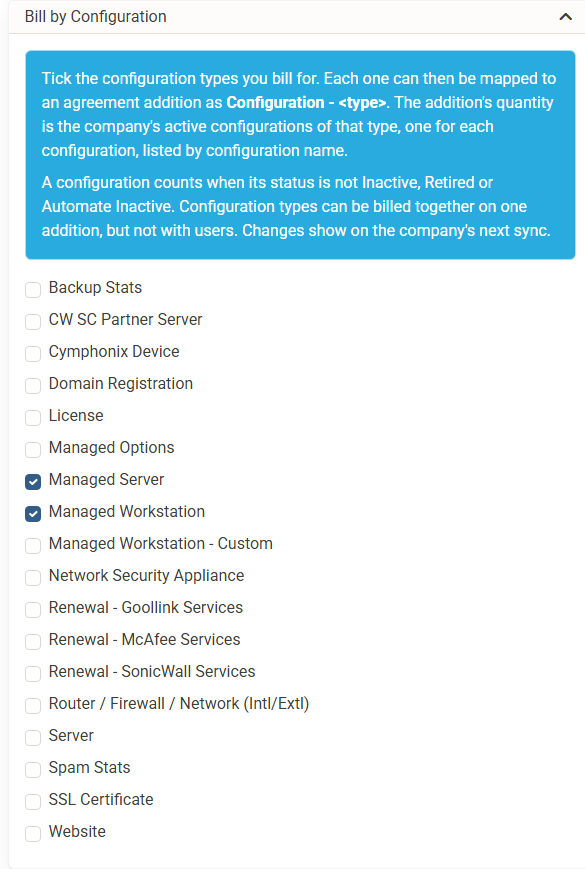
- One unit per active configuration. The addition’s quantity is the company’s configurations of that type whose status is not Inactive, Retired or Automate Inactive. Each configuration is listed on the addition by its name.
- Billed like users. Configurations that are added or retired are recorded on the addition’s audit, and prorating, Hold Contact Drops until After Invoicing, tiered pricing and Do Not Update Count work as they do for users. A renamed configuration keeps its place on the addition.
- Combine configuration types. Bill workstations and laptops on one addition, or subtract one type from another. Configurations and users can’t be billed on the same addition.
- Contacts are not affected. Configurations are never matched to contacts and never change a ConnectWise contact.
Changes show on the company’s next sync. If ConnectActive can’t read the company’s configurations, for example because the API member has no Configuration rights in ConnectWise Manage, it leaves those additions unchanged and says so in the sync log.