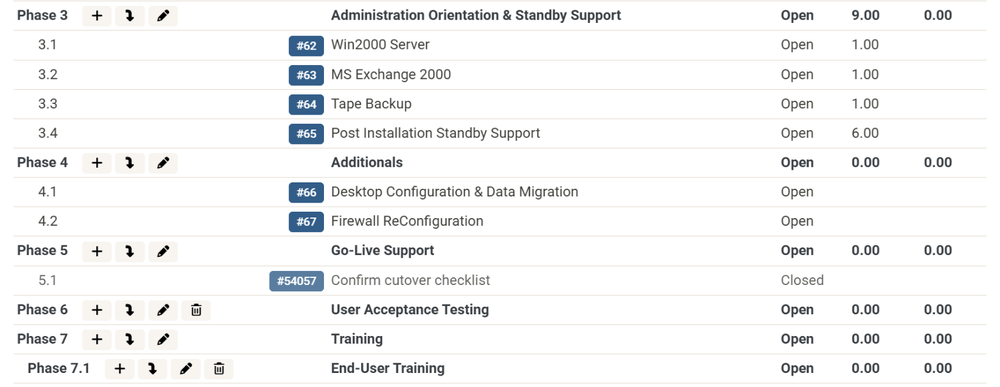
Rename and Delete Project Phases
You can now rename a phase from a project’s Work Plan, and delete a phase that is empty. Phases that contain sub-phases or tickets can’t be deleted, so nothing is removed along with them. Move the tickets or delete the sub-phases first. Renaming and deleting follow your ConnectWise permissions for the project, and ConnectWise will tell you if you don’t have access.