
See Who Was on an Email
An email note now starts with a line naming its sender (From), its recipients (To) and anyone copied (Cc). Hover over a name to see the full address. You no longer need to open the note’s attached email to see who was on the thread.
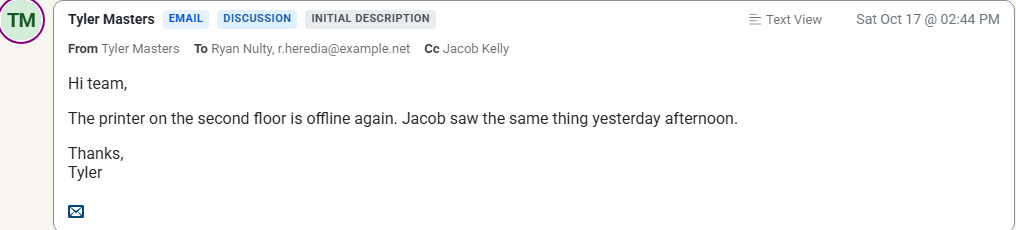
- Both layouts, both views. The line shows in the Modern and Classic note layouts, in Email View and Text View. It is hidden while the note shows its time entry.
- Blind copies stay private. Bcc addresses are never read or shown.
- Long lists stay short. A field with more than 50 addresses lists the first 50 and ends with the number left out, such as +70 more.
The line appears on emails received from today on. Emails that arrived earlier look as they did before.